
>Utilities>System Options>Order Entry>Order Entry
Category-Configuration
Type- Can be Global, Assigned or User
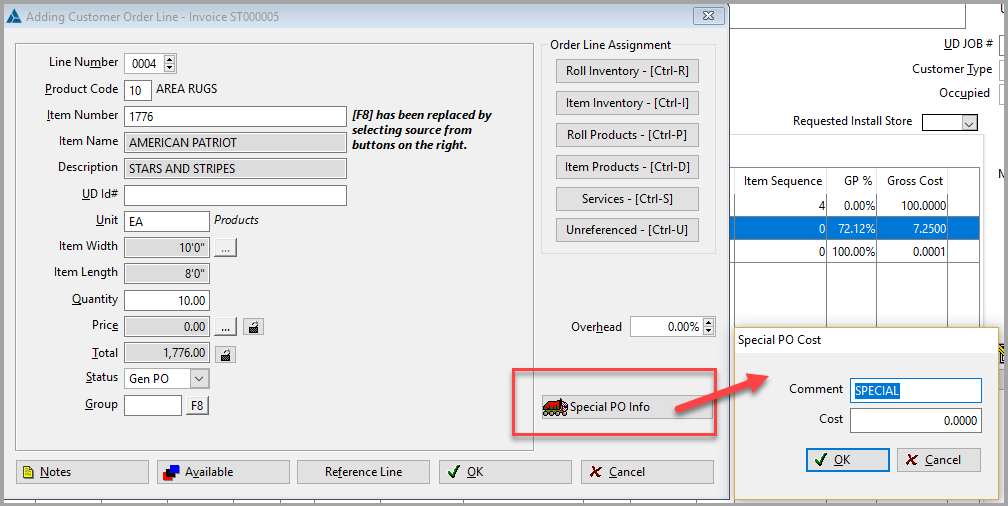
If this option is set to Yes, then a Special PO Info box will appear on the right lower side of the Order Line screen when the roll/item is pulled from Products. This is also available in Quotes.
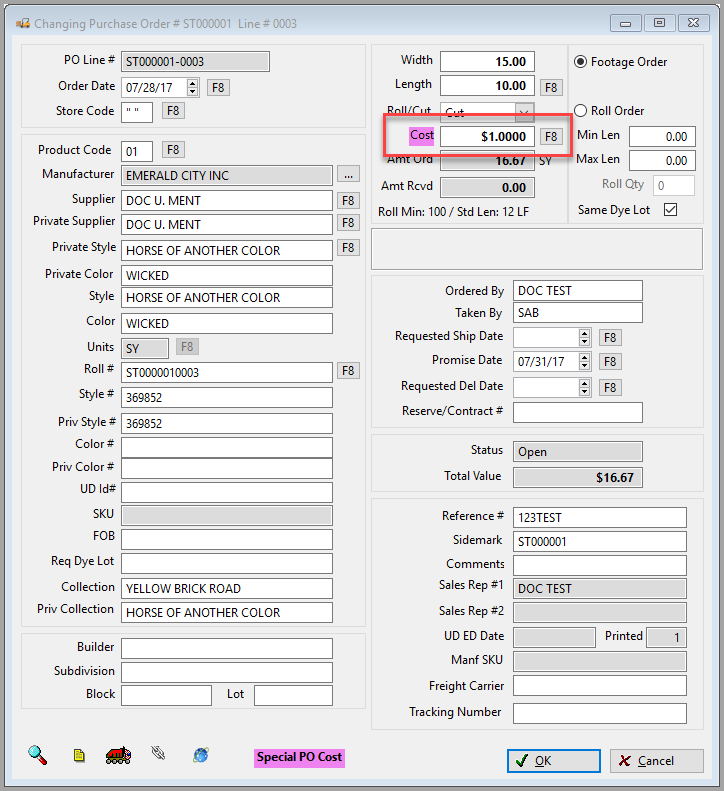
The Cost field will be highlighted violet if there is a special cost that has been added on the order line.
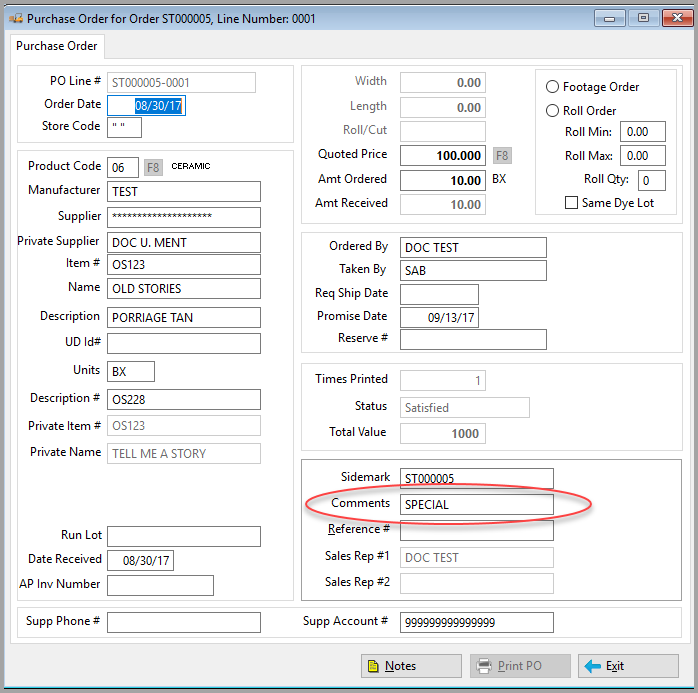
The Comment in the Special PO Cost screen will display on the Purchase Order screen in the Comment field.
Comments
Article is closed for comments.