
>Utilities>System Options>Order Entry>Order Entry
Category Authorization
Type- Can be Global, Assigned or User
This option is available if the option Require Order Customer to be in the Customer File only is set to yes.
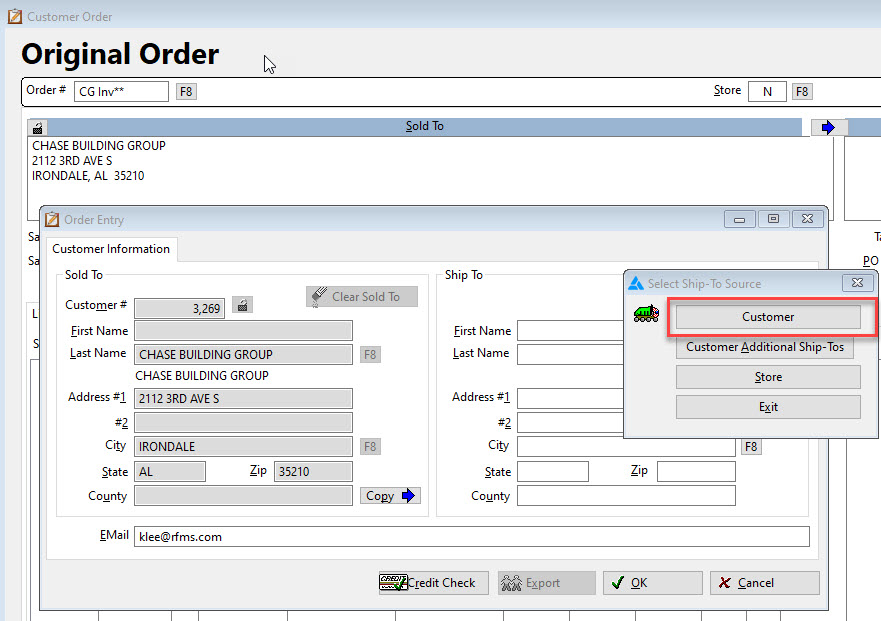
Select Yes on this option to allow manual data entry in the Ship-To field on the customer order.
A.) This is very important to have turned on if a different ship to needs to be noted for installation.
B.) Important for Use Tax/Sales Tax purposes (because reporting by the city where the installation is being performed is required).
C.) This becomes crucial for any store that handles builder accounts and the ship-to is always different.
D.) If the order is job costed or billed(ERRM) regardless of the option settings, the Ship-To City, State and Zip cannot be edited.
This is especially helpful for a builder account, it allows pulling the ship to the customer from the customer file without overwriting the Builder bill-to.
Comments
Article is closed for comments.