
Products>File>Quick Pricing
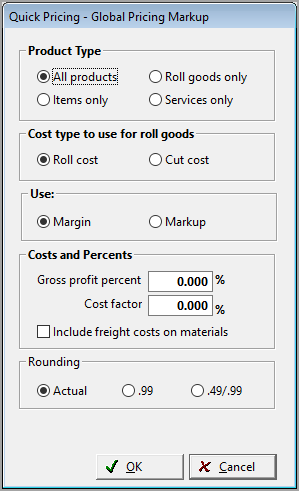
Clicking OK will change Formula One to:
Items: 1*I/1
Rolls: 1*R/1
Services: 1*S/1

CAUTION: This option Quick Pricing should be password protected.
Follow the steps below to put the original formula back on the product records.
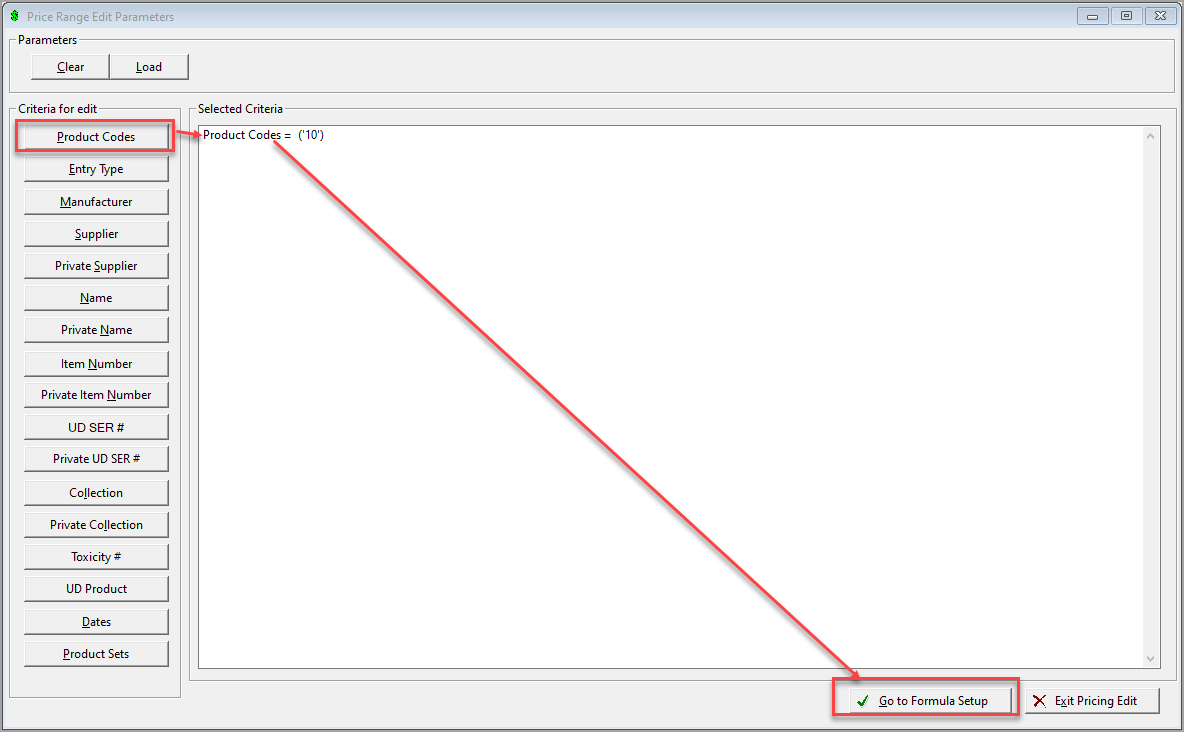
- Go into Products>File>Price Range Edit.
- Select Product Codes and click Go TO Formula Setup.
- Select options and type in Formula 1, click OK.
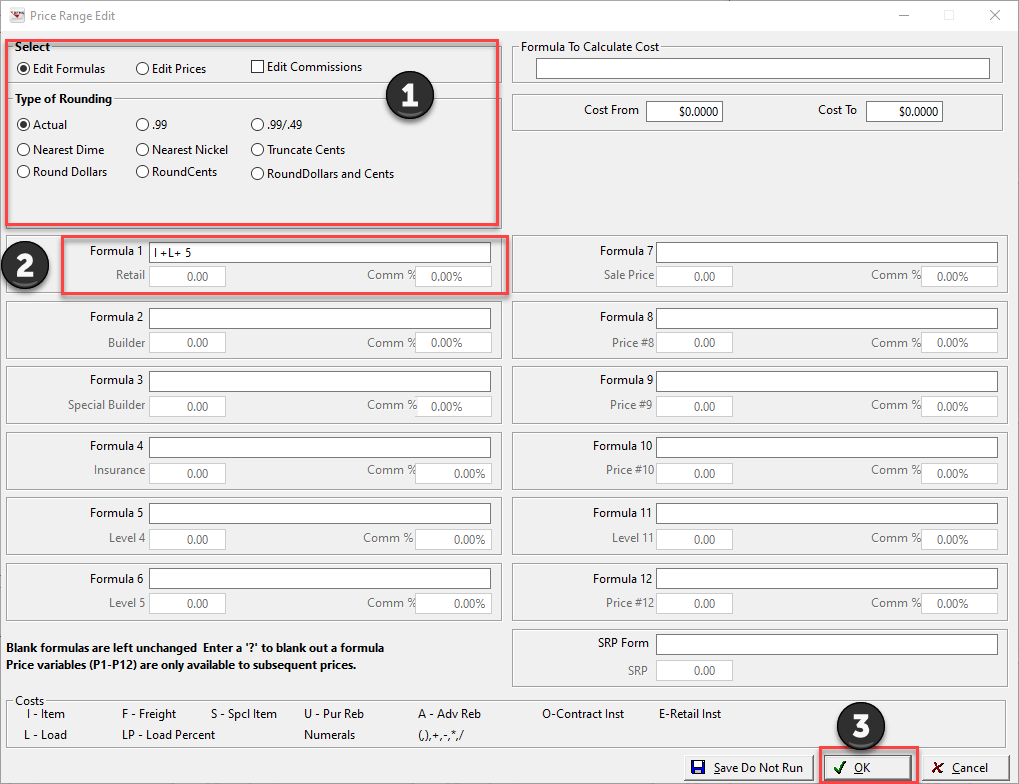
 NOTE: This process must be done for Rolls, Items, and Services Separately.
Comments
Article is closed for comments.