Go to Start – Programs – Microsoft SQL 2005 or Microsoft SQL 2008 – SQL Server Management Studio Express. From there select “connect” when prompted, making sure that you have the correct name of the server and SQL instance name if required in the server box.
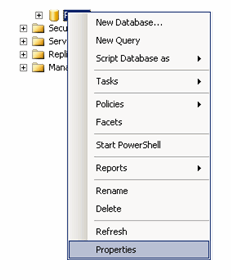
Expand Databases and the right click on the database. Select “properties”.
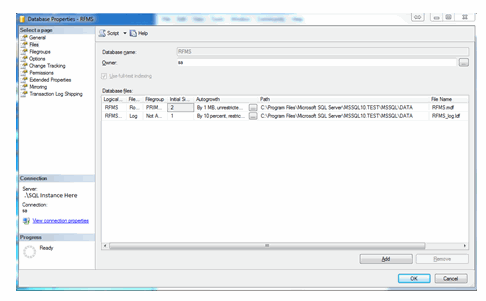
Click on Files and Scroll over to the path column. This is the location of the SQL Database.

Comments
Article is closed for comments.