
General Tab
Projects>Select Project>Reports>General Tab
These reports are not tracked on the report history tab.
Tests
Projects>Select Project>Reports>General Tab
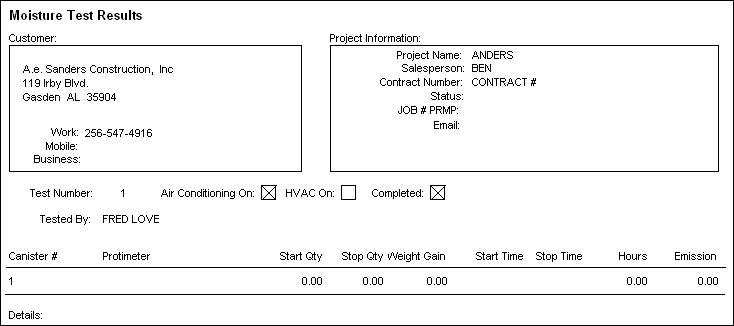
Check Tests
The Moisture Test is sorted by Test Number, Canister Number.
Installation Forecast Report
Projects>Select Project>Reports>General Tab
Check Installation Forecast
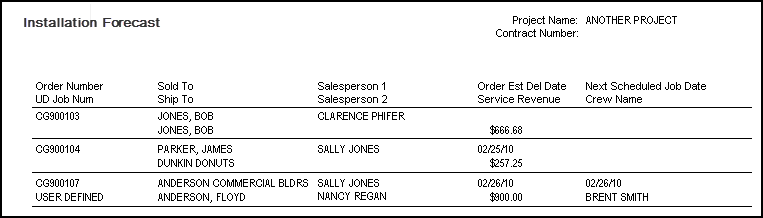
This report will print all of the service lines for open jobs related to the selected project showing estimated install dates and revenue.
Report Details
Job Number: This is the user defined field on the invoice
Order Estimated Delivery Date: If have Schedule Pro next scheduled job if not then the order estimated delivery date is used
Service Revenue: Billable labor dollars
Next Scheduled Job Date/Crew Name: If have Schedule Pro next scheduled job for that project; if not then these columns are omitted.
Sort Order: Unscheduled jobs are listed first (CG900105 in example); then by (next job scheduled date) Schedule Pro date (CG900107 in example); or order header est del date (CG900104 in example)
Status of quotes, estimates and orders by salesperson
This report tracks the material line status of all quotes, estimates and orders related to the project selected from the project browse screen. This report will break on salesperson.

Check Status of Quotes, estimates and orders by salesperson.
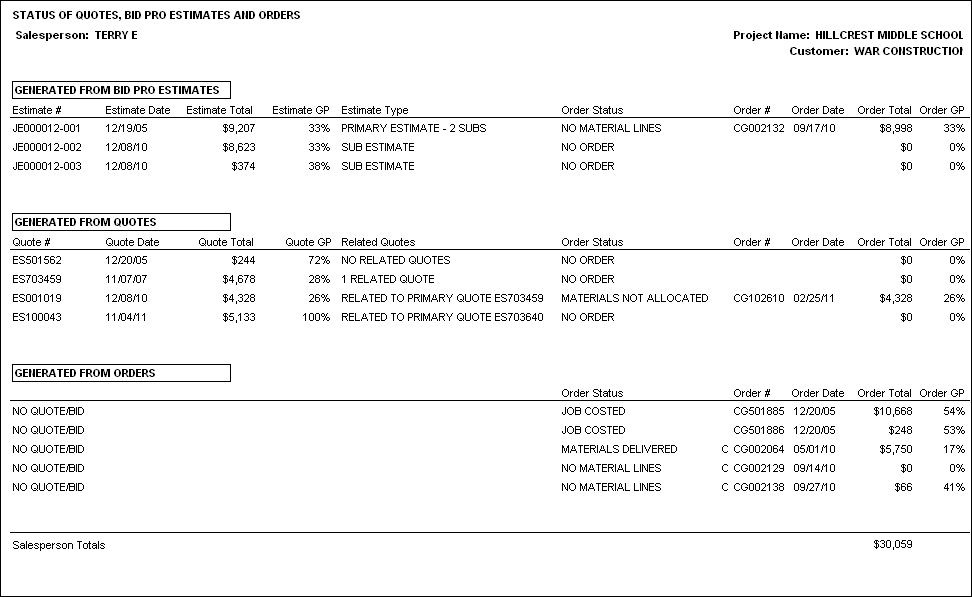
The sample status of quotes, bid pro estimates and orders report is the page for one salesperson on the project.
Bid Pro Estimates
The report will list first in the top section, any Bid Pro estimates related to the project. If an estimate was converted to an order, the order will be listed to the right. Otherwise the section will say NO ORDER.
Some Estimate Report Columns explanations:
Date: the date the record was entered
Estimate GP%: this number comes directly from the estimate
Estimate Type: the description here will either be primary estimate with a dash and the number of sub estimates related to it or sub estimate. All of a primary estimates sub-estimate do not have to be related to project, as in the example above JE000012 has two sub estimates, only one of them is a part of this project.
Order Status: the status of material lines on the order
NO LINES: No material lines have been entered.
MATERIALS NOT ALLOCATED: at least one material line on the order has a status of none, gen po or on order. CMM defines allocated as being received into inventory and being assigned to an order.
MATERIALS ALLOCATED: no material lines have a status of none, gen po or on order and at least one material line has a status of cut, staged or reserved.
MATERIALS DELIVERED: no material lines have a status of none, gen po, on order cut, staged or reserved and at least one material line has a status of delivered.
COMPLETED: all material lines have a status of job costed.
Order GP%: this number comes directly from the order
Quotes
The next section of the report lists quotes related to the project. If a quote was converted to an order, the order will be listed to the right. Otherwise the section will say NO ORDER.
Some Quote Report Columns explanations:
Date: the date the record was entered
Quote GP%: this number comes directly from the quote
Related Quote:
- Original quote will say no related quote
- Primary quote will say # of related quotes
- Related quote will say Related to Primary Quote and give the quote number.
Orders
The The final section lists orders which did not originate as either a Bid Pro estimate or a Quote.
Products Used by salesperson
This report gives the status of all material lines for the selected project so that potential problems with the material can be avoided. This report will break on salesperson. The report has a section each for related Bid Pro estimates, Quotes and Orders.
Check Products used by salesperson.
Use the down arrow to select between these material statuses:
- All
- Unreferenced
- Inactive
- Undelivered
Active: Both Product and Color exist in the Product database and are currently marked active.
Inactive Product: Product exists in Product database but is currently marked inactive.
Inactive Color: Color exists in Product database but is currently marked inactive.
Unreferenced Product: Product with the product code, style and supplier does not exist in the Product database.
Unreferenced Color: Color does not exist for the product in the Product database.
Undelivered: Lines that are not in Delivered or Job Costed status.
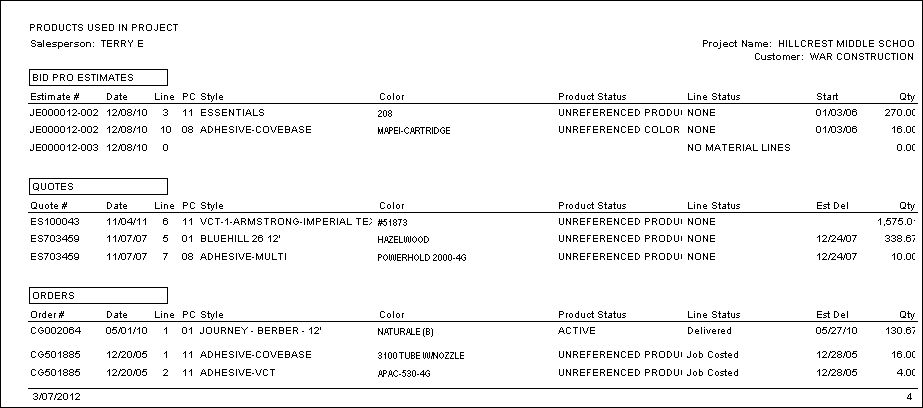
Some column explanations
Product status: defined above
Line status: the order status from the Status of Quotes, estimates and orders by salesperson
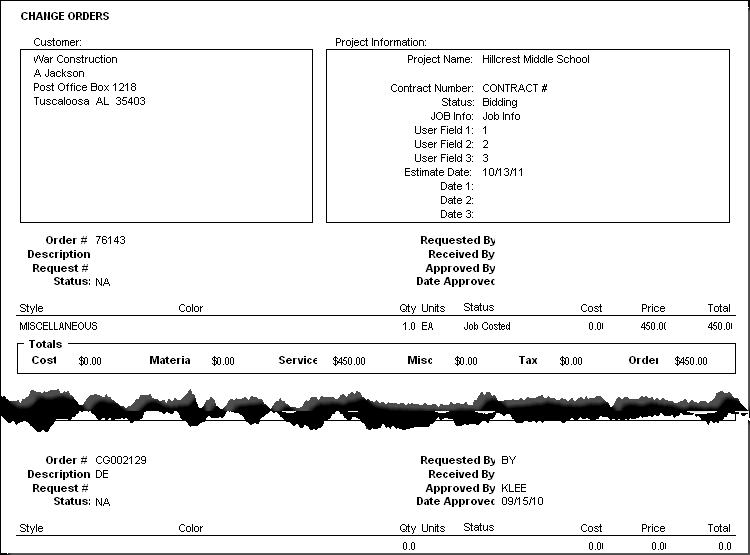
All Change Orders
Check the All Change Orders box.
This report prints all change orders related to the selected project.
Comments
Article is closed for comments.