
Inventory>Reports>Stock Status Report

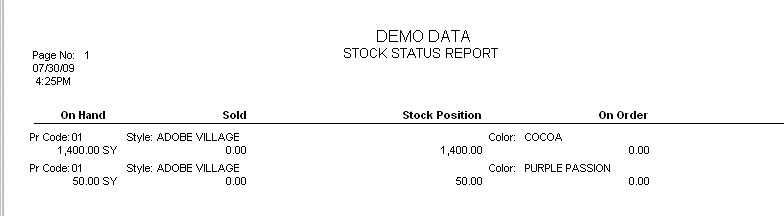
This report gives combined status of inventory. This Report is made up with four parts: On Hand, Sold, On Order and Stock Position
The parameter fields are:
Store Code: Choose one or more store or all stores by tagging. Selecting combined will total all chosen stores together.
Product Code: choose a single product code or a combination of product codes.
Cutoff Date: Date Received.
Stock Material Only: Check this box to print a report with Stock Material only. Some material must be on hand otherwise the system assumes this is no longer considered stock.

The reorder level in Products must be set for this to work.
Report Options: A sample is included for both.
Filter Options:
Style
Color: Must enter a style before a color can be entered.
Supplier
Summary
On Hand:
Inventory must be received.
Amount Available + Amount Reserved must be greater than zero.
Cutoff Date: Date Received must be greater than or equal to date entered
Sold
Inventory is on a line
Status = None, GenPO, On Order, Reserve
Stock Position
On Hand Quantity – Sold Quantity
On Order - Purchase Orders
Amt Ordered greater than zero
Status equal Open
Detail (1 page per product) 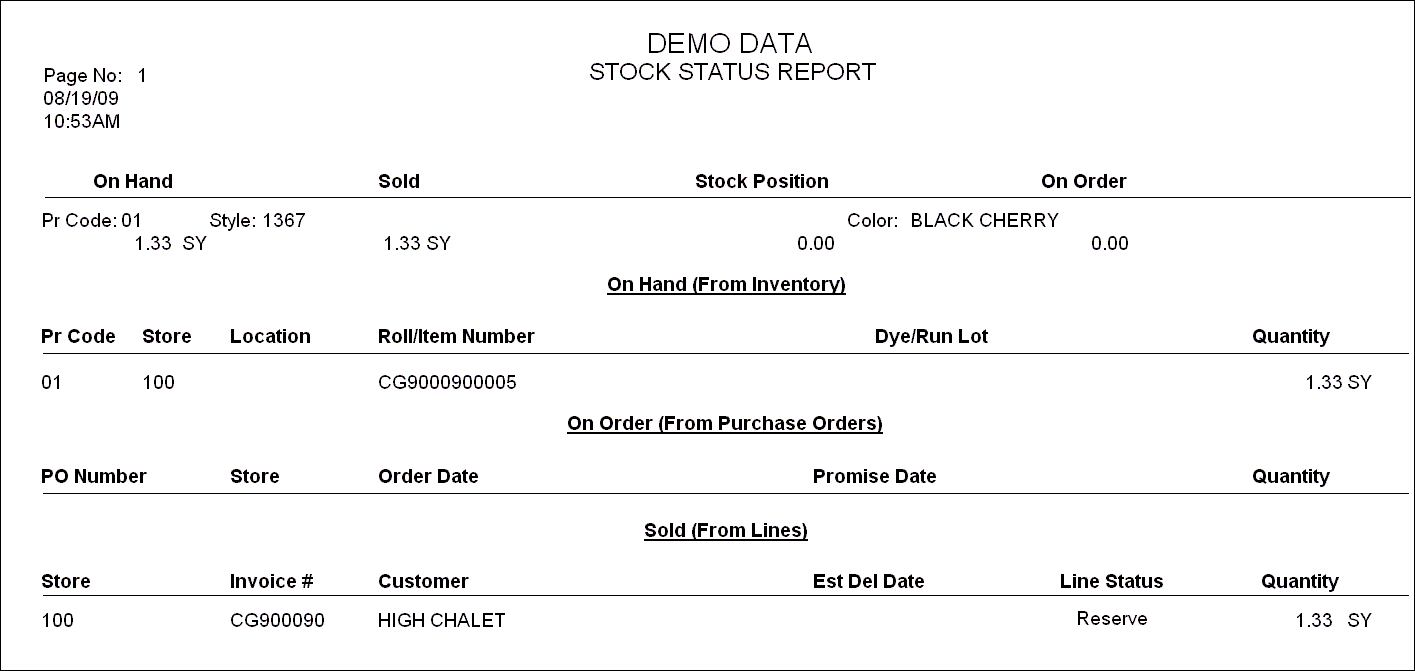
Comments
Article is closed for comments.