
Full HypePay User Guide
To enter a Payment, do the following:
Click the Insert button  located on the main HyperPay screen. The "Record Will Be Added" screen displays.

To easily find orders for applying payments, click F8 at order number. Search by any of the tabs on the Select Customer Screen. Checking Balances Only will narrow the list. Highlight an order and click the select button  .
.
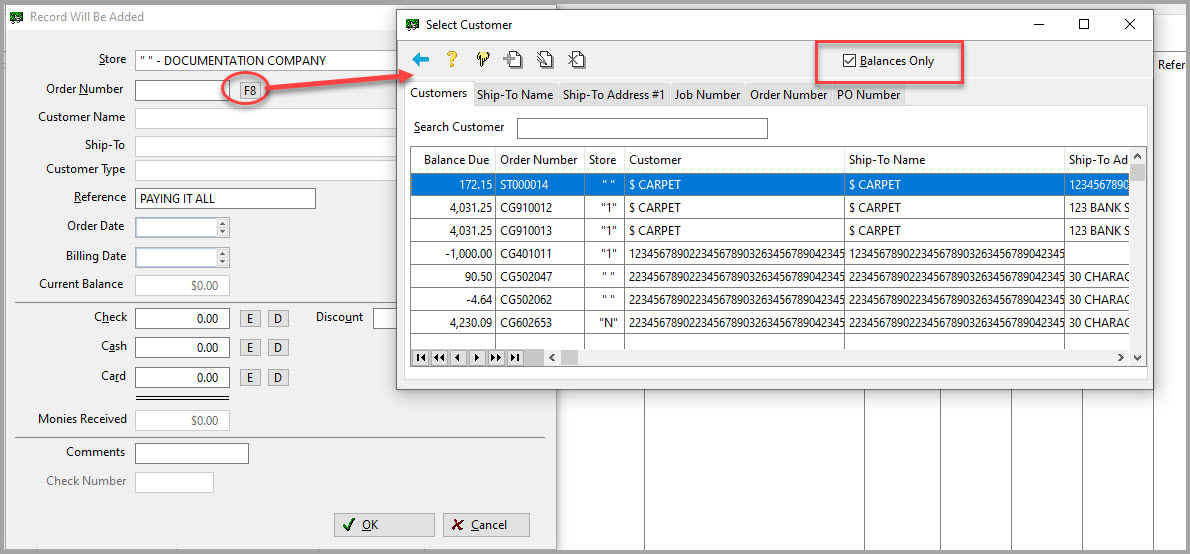
Now enter the payment information. When done, click OK. The payment now displays in the Payment Browse screen.


Comments
Article is closed for comments.