
Issue: What is the size of your RFMS Database and Log?
-
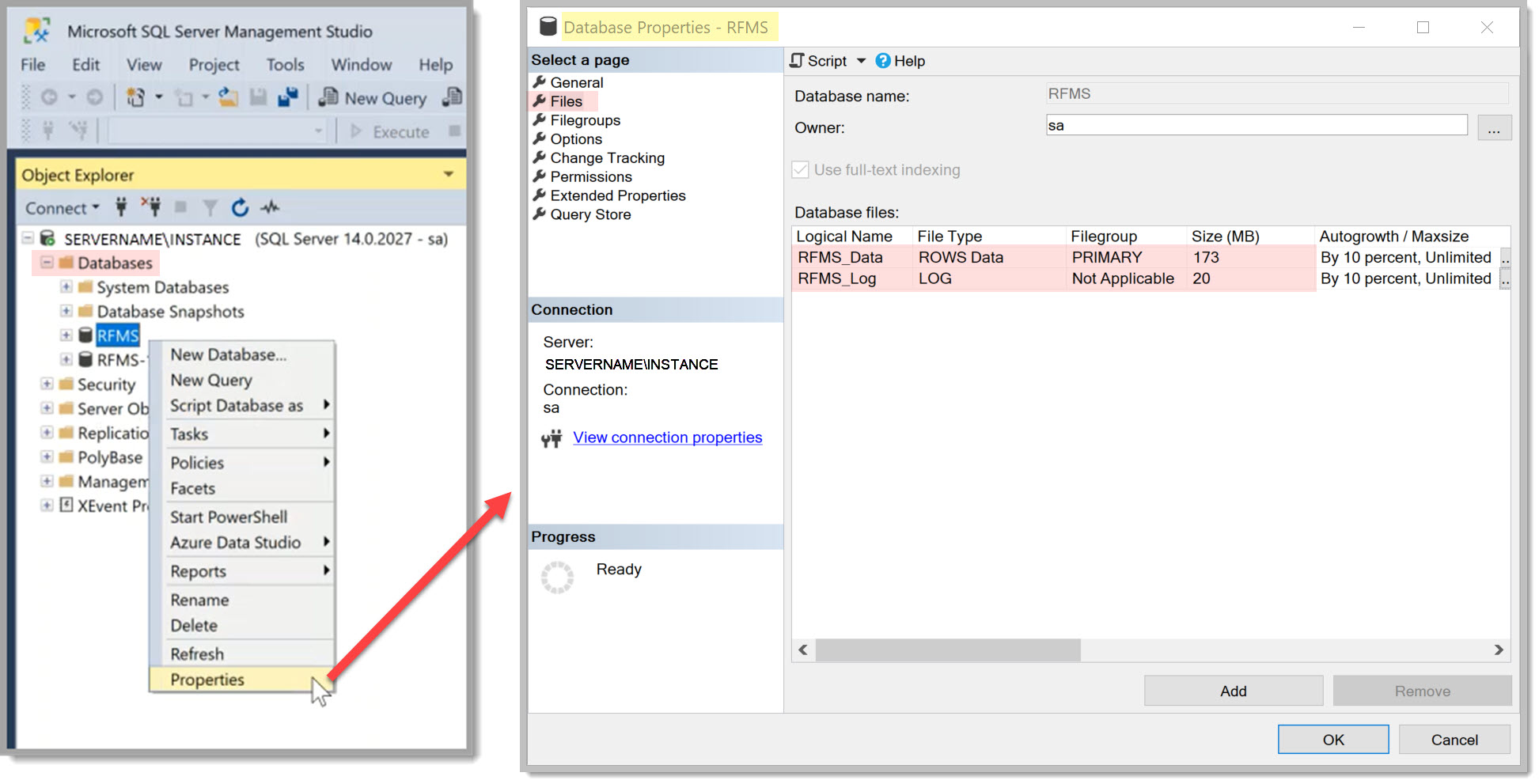
To find this open SQL Management Studio on your server.
-
Under Object Explorer, expand Databases.
-
Right-click on the RFMS database (note: your database may be named differently).
-
Select Properties.
-
In left panel of Properties window select Files.
-
What does it show for your databases Data and Log size?
Comments
Please sign in to leave a comment.