
RFMS requires the dbconnect.xml file (with full admin rights) to install an RFMS update. If this file does not exist, the following steps will be needed:
- Download the attached dbconnect template file
- Open the file using Notepad
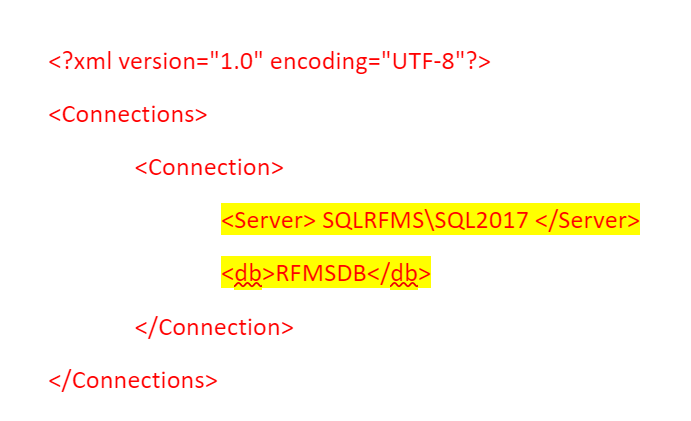
- Change the <Server> line to the appropriate RFMS server name and SQL Instance
- Change the <db> line to the correct RFMS database name
- Rename file name as dbconnect.xml
- Drop file in RFMS folder
- Confirm full admin permissions to the dbconnect.xml file
For example, if the Server name + SQL instance is SQLRFMS\SQL2017 and the database name is RFMSDB, the file would like like this:
Comments
Article is closed for comments.