
>Utilities>System Options>System Wide>Buying Groups
Category-Configuration
Type- Must be Global
RFMS Referral Screen

ProSource Options Screen

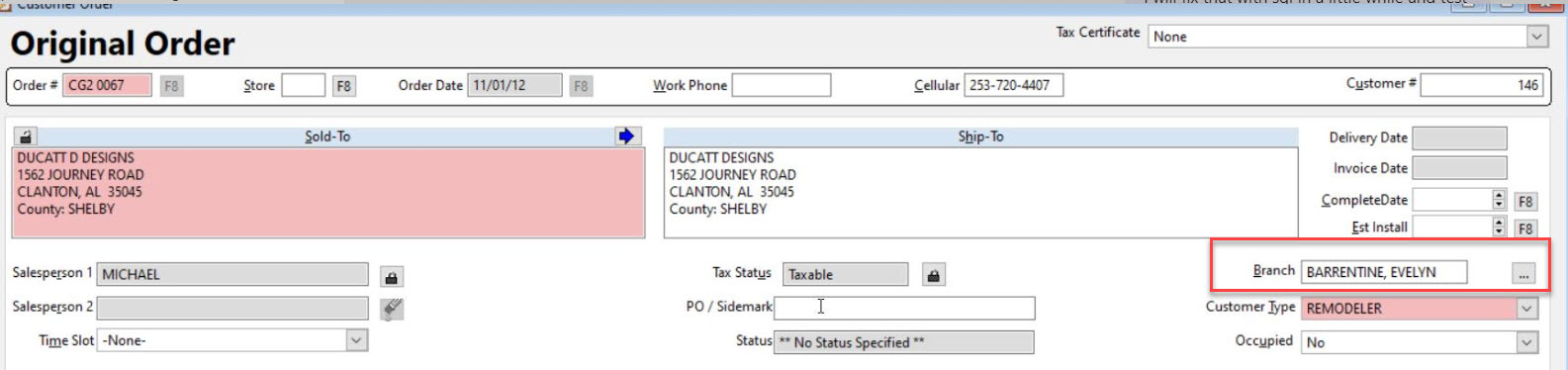
The terms Main/Member and Branch/Client are defined in Customer Relationships. These relationships are user-definable by going to Buying Groups.
Referral Fee Method
This option controls how the referral is calculated. Choices are: Spread between Main/Member and Branch/Client (the difference between the main/member and branch/client prices) or Percent of the selling price. Click inside one of the circles to select a method. Referral fees are calculated when a customer order line is entered. Referral Fees may be viewed by clicking on File, Providers. Only job costed orders will have
referral records posted on the Provider screen.
Spread between Main/Member and Branch/Client
(Main Price/Member * QTY) – (Branch Price/Client * QTY)
Percentage of Selling Price
(Main/Member Discount % - Branch/Client Discount % * QTY) * (QTY * Selling Price of Sold To Criteria)
Sold To Criteria:
Sold To = Branch/Client - Setting this value will allow Referral Orders for both Main/Member and Branch/Client
Sold To = Main/Member - Setting this value will allow Orders Referral Orders only for Main/Member, if there is a Branch/Client, then they can be selected in special input where Job Number is usually located.
Referral Product Code
This will be the Product Code assigned all Referral commissions to during Job costing. This is only used for job costing and/or printing reports. The default is 98. To change this, type a number or use F8 to find another number. If the description is Undefined, go to Order Entry>Utilities>Set Up>Product Codes and add a referral description to the product code.
Pay Cycle
This field represents when Referral commissions will be paid. It also corresponds with the Pay Cycle field in HR. Select either Weekly, Biweekly, Semimonthly, or Monthly.
Allow Referrals Only
Checking this option will not allow any orders to be input other than Main or Branch. (RFMS Referral Only)
Allow Referral Override
Checking this option allows the referral amount to be changed manually.
Referral Tracing
Aids in determining how a referral was created.
Referrals included in Job Cost Analysis
Checking this option controls whether BCOE will include Referral Fees in Provider Costs. This in turn affects Job costing, Gross Profit, and Percents. This will likely affect Commissions since most based on Profit. Pre-Job cost sheets will also show a Referral Provider.
Comments
Article is closed for comments.