
As of 10/24/2022 we will no longer be offering the Saberis solution for 2020 Imports. If a client needs this integration please have them reach out to their CSM. This article is "internal" for reference only. Do not share this information with clients.
1. From the 2020 screen, click the Saberis. The Submit Quote to Saberis screen opens. Click Submit after the correct information has been inputted. The file will save in Saberis Documents.

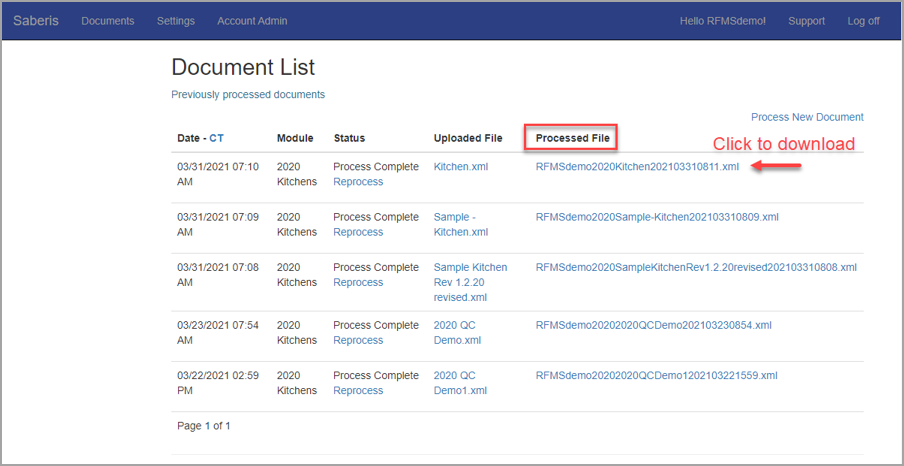
2. Go to the Document List page on the Saberis website. Click the link under Processed File that the user should download.
3. Click the 2020 Integration shortcut on the desktop.
4. Select if this information will generate an Order, Quote, or Bid.
As of version 22.1 there will be an option to send the line notes to custom notes
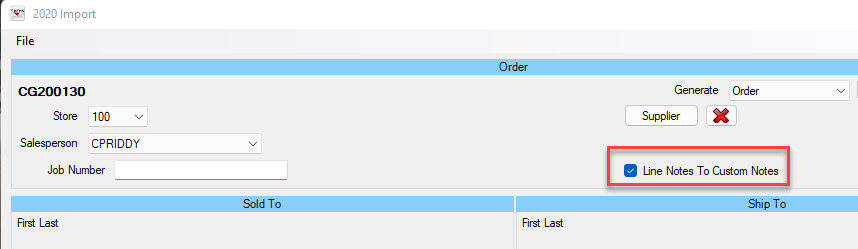

Notice that once selected, the top blue header follows the selection.

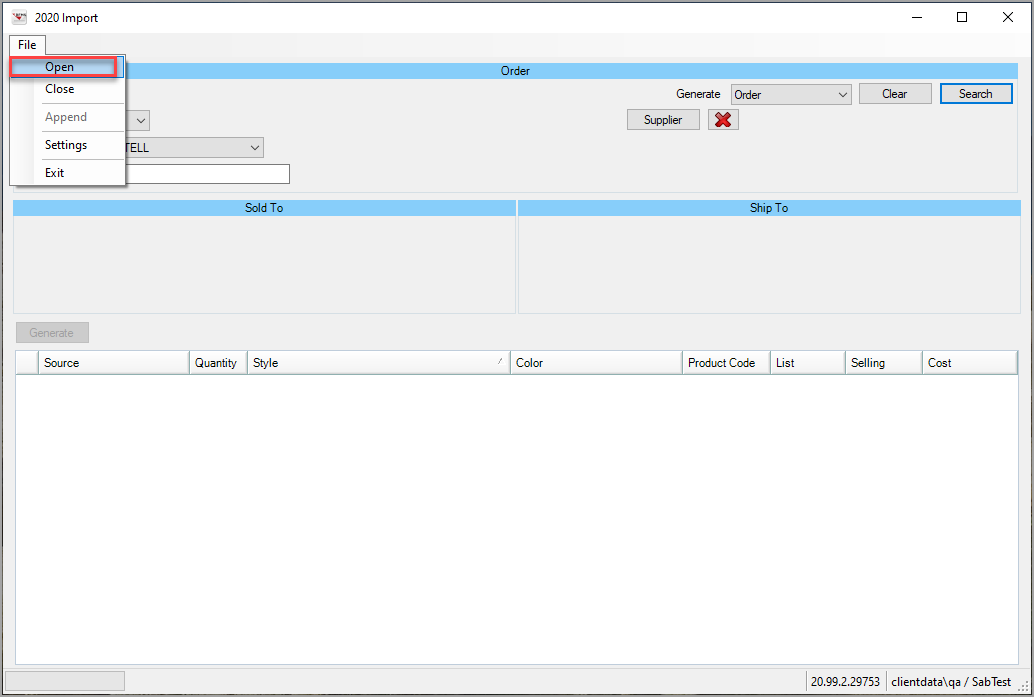
5. Click File>Open. Select the downloaded file.
6. Ensure Store, Salesperson, and Supplier (since the line will be brought in as unreferenced), and Manufacture (if needed) are correct.

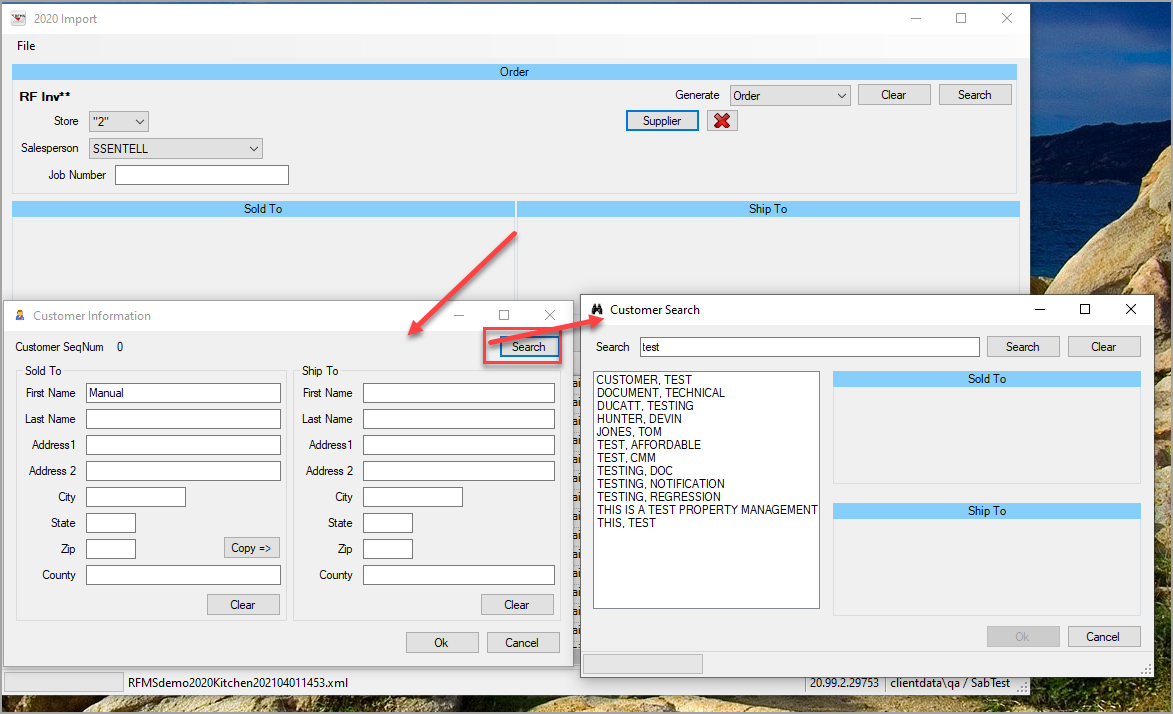
7. Double click in the Sold-To or Ship-To area to open the Customer Information screen. Fill in all information manually or click Search to find a certain customer.
8. Check or uncheck lines that need to be included in the Order, Quote, or Bid.

Product Code is the only information editable from the uploaded file on this screen.
When all information is correct, click Generate.
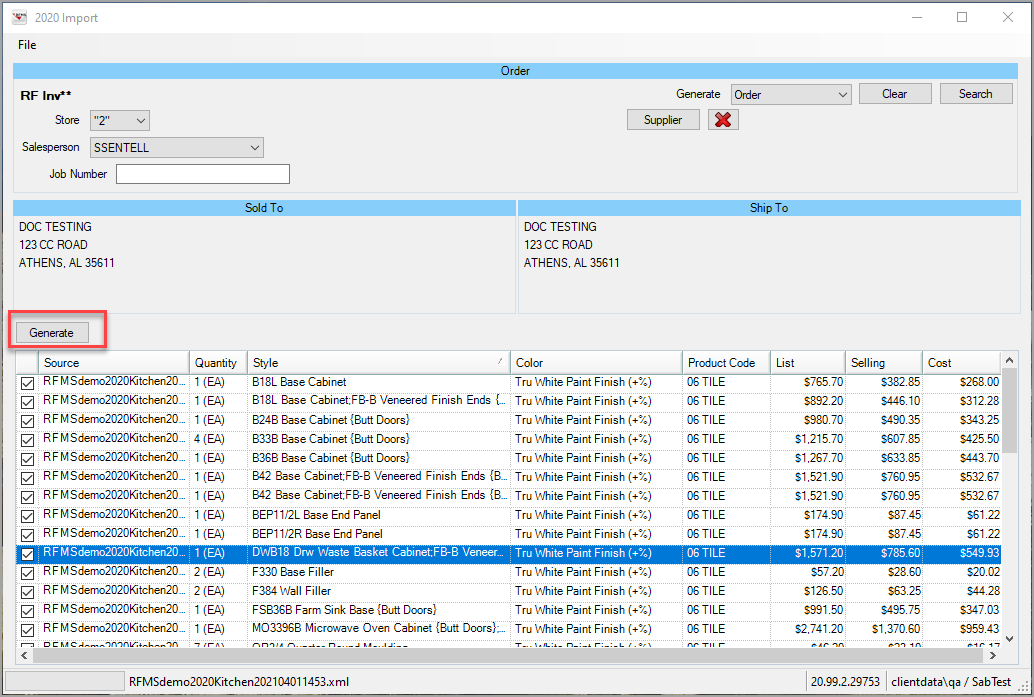
9. When the process is finished, the order number, quote number, or estimate number will appear in the top left of the screen.

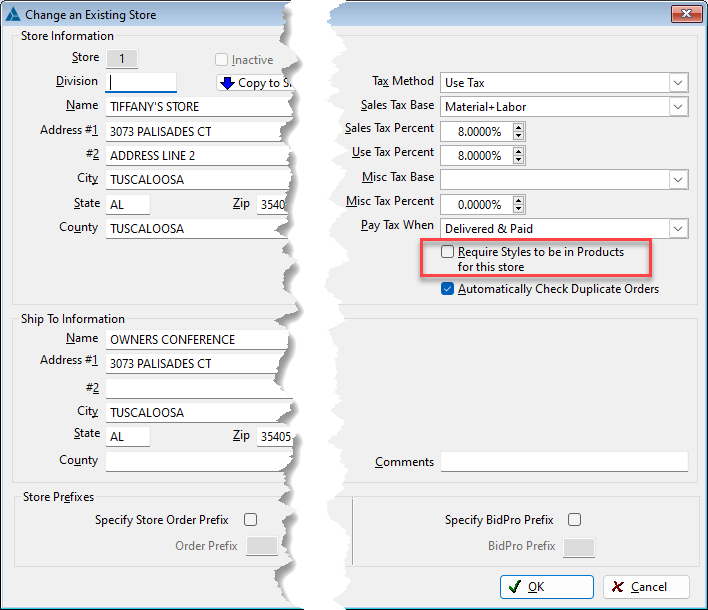
The store setting Require Styles to be in Products for this store will be ignored as the assumption is all styles imported from 2020 are unreferenced.
Comments
Article is closed for comments.