
 |
Exit the current screen. Can also use the Escape key on the keyboard. |
 |
Access the help file. Can also use the F1 Key on the keyboard. |
 |
Activates or selects the highlighted record. |
|
|
Add a new record. Can also use the Insert key on the keyboard. |
|
|
Make changes to a record. |
|
|
Delete a record. |
|
|
Add or View Notes on a record. |
 |
View all notes and Client Management Remarks related to a record. |
|
|
Find a record using specific fields. Changes to blue when a find is in process. |
|
|
Resets a filter to the default settings. |
 |
Refresh the browse without resetting the filters |
 |
Saves the current information and exits the screen. |
 |
Exits the screen without saving the newly entered information. |
 |
Exact match required in a search. |
 |
Partial match only required in a search. |
|
|
Text search Reminder: this searches the browse list from the highlighted record down only. When beginning a search it is best to begin at the top of list. |
|
|
Print a document or go to a report menu. |
 |
Allows adding, changing or deleting graphic and non-graphic files. |
 |
Tag Untag Tagall or Un-tagall record(s). Selects records |
 |
View details of a record. |
 |
Send an email or RFMS mail message regarding the highlighted record. |
|
|
View the history of a record. |
|
|
View the pdf history of reports for the highlighted record. |
|
|
Click to view the tracking record created for every record insert made into Orders, Quotes and Bid Pro Estimates. If gray, no records are present. |
|
|
Brings up the Commerical Project Management Remote Actions screen and allows adding a CPM action or relate a CPM record to this record. Yellow indicates that CPM information is associated with the highlighted record |
 |
With all date fields in RFMS, hit the D key to fill in today’s date, type in a date, use the up and down arrows to move the date one day at a time or click F8 to bring up the calendar and then choose the date. Hit the B key to enter 01/01/80 in a date field. Hit the E key to enter 12/31/79. These date represent unlimited beginning and ending dates. |
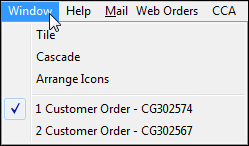 |
The bottom part of the Window screen lists all windows open in the current module. The one currently being viewed is checked. To view a different window, click it with the mouse. |
|
|
Access to customizing the tool bar |
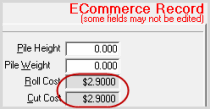 |
Disabled Field. If set in >Utilities>System Options>System Wide>General >(Set Up Global Interface System Options or Override Global Interface System Options) |
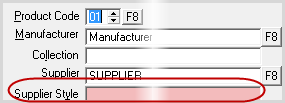 |
Required Field. If set in >Utilities>System Options>System Wide>General >(Set Up Global Interface System Options or Override Global Interface System Options) |
|
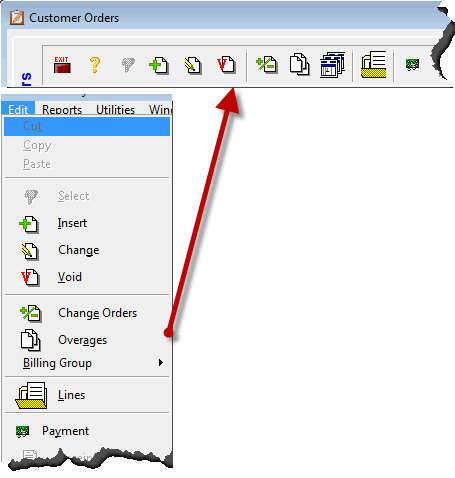
Edit Menu |
The Edit Menu can be used as a shortcut to the toolbar options. >Edit>
|


 or Ctrl-S

 or
or 
 or
or 
 or
or 
 +
+ 
Comments
Article is closed for comments.