

This system option cannot be used if "Product Driven Order Entry" is Enabled.
>Utilities>System Options>Order Entry>Order Entry
Category Interface
Type- Can be Global, Assigned or User
This option allows simplifying the Inventory and Products browse when entering a customer order. Answer yes to option and there are only three choices when entering a customer order line; Inventory, Products and Unreferenced.
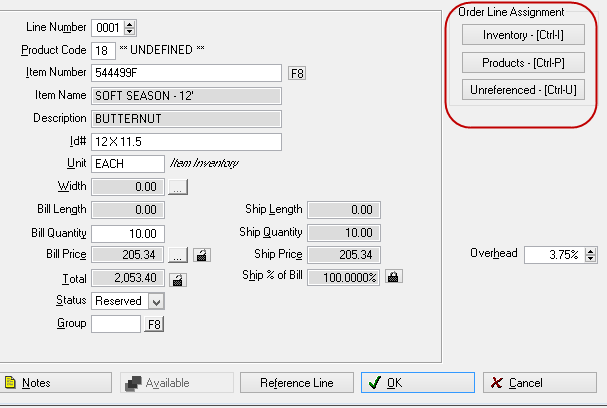
All Inventory records are available under Inventory and all Products records are available under Products. Use the find button to search for a specific record. On the find screen, the listing can be limited to rolls, items or services (Products only).
Comments
Article is closed for comments.