
In many places such as Find screens and Reports, there is an option to save a filter so that it can be loaded easily.
To create a Saved Filter,
- On the Find Screen, fill in all the fields needed for the search.
-
Click Save and the Save Current Filter screen opens. Type in a File Name.

To Load a Saved Filter, right click on the Find button 
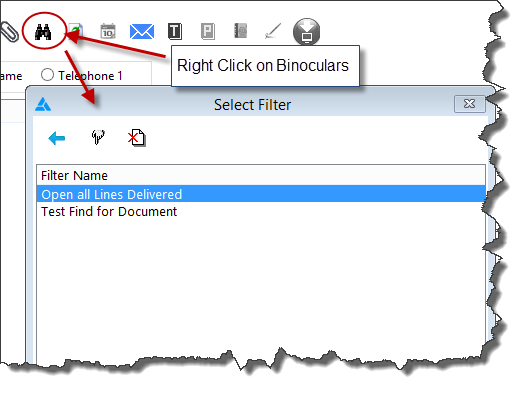
To edit a saved filter or use it as the basis for a new filter, click Load and select the Saved filter from the Select Filter screen. Highlight the filter's name and click the Select icon  .
.

Comments
Article is closed for comments.