
To view only the Open jobs, click the Find icon  .
.
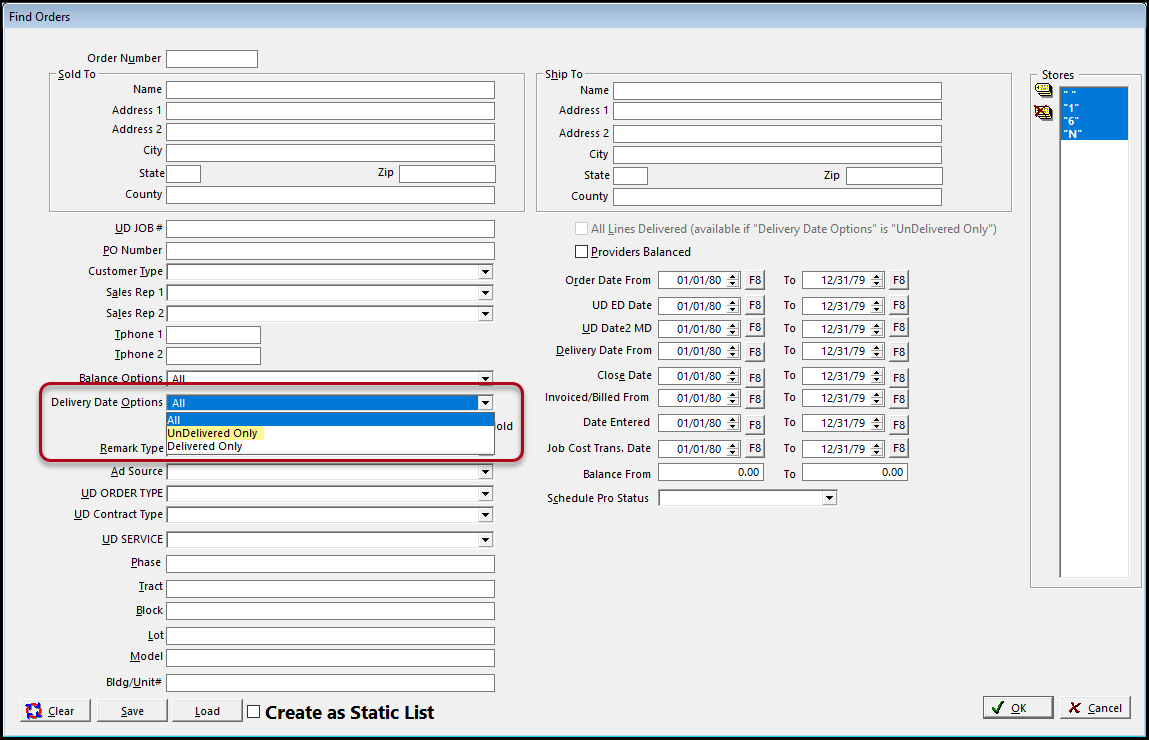
On the Find Screen, select UnDelivered Only from the Delivery Date Options drop-down menu.
You can also fill in the order date if you want want UnDelivered Orders for a certain time range. (See the Date article to help with this)
Click Save and title the file
A good name would be Open Order (and you could add "for ...." if you are doing it by a certain date range.

Next time you come into Customers Orders, just right click on the and select the name of your saved filter.

Comments
Article is closed for comments.