
To print a barcode in RFMS, the 3of9 font must be installed on the workstation generating the tag/report. If using a Remote Desktop or Terminal Server to access RFMS, the font must be installed on the host computer.
How to download the Barcode 3OF9 font:
- Go to portal.rfms.com and enter your username (which is your Company ID Number) and the password for the designated store.
- Click Current Version
- Scroll down to Barfont under the heading RFMS CORE.
- Click Barfont (New Installs Only).
How to install Barcode 3OF9 font:
-
Find the downloaded zip file and Extract All
- Select your location
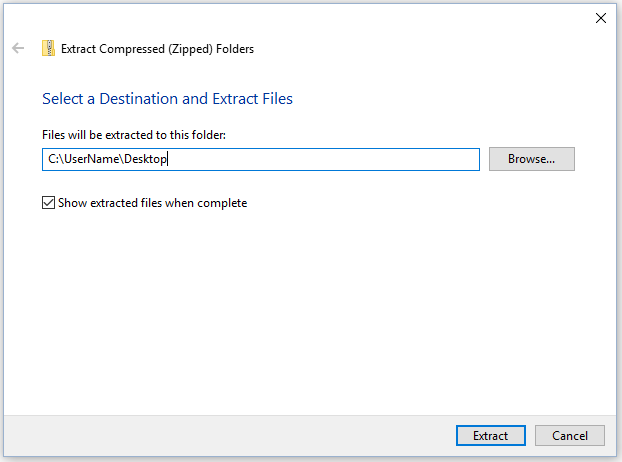
- Open file 3OF9
- Click Install
Comments
Article is closed for comments.