
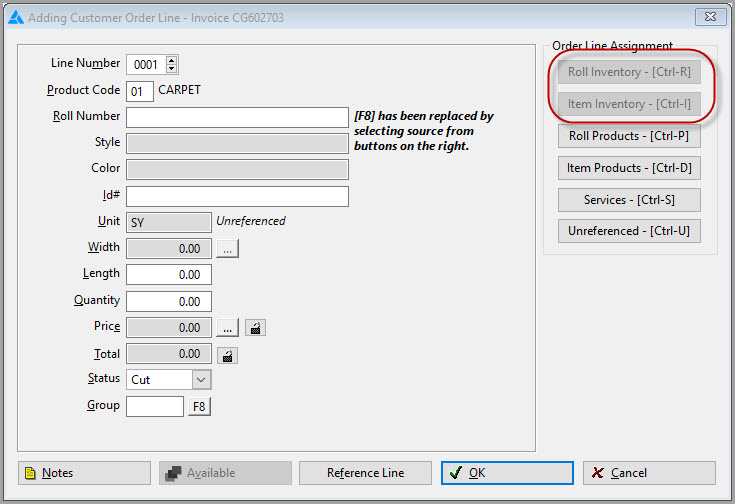
Product Driven Order Entry (which is set up from the Set Up Product Driven Order Entry system option) forces the user to select only from the Products module when entering material on a new customer order line. Since 15.1, RFMS has created product records after receiving if they are not already in the Product file. We call this RFMS Created records. Your Product file is the best way to keep consistent reports. Product Drive Order Entry helps push everyone in that direction.
This feature was created to allow optimal usage of current inventory as well as reduce waste.
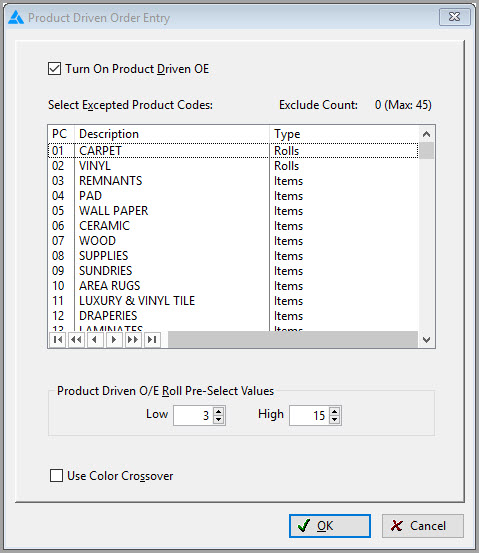
It also serves as a security feature that will limit access into the Inventory file based on the specific High and Low waste factors set. For instance, “scraps” are determined to be between the values of 3 yards/feet and 15 yards/feet, those are the high and low values mentioned above.
When a user enters an order, they will be automatically prompted to choose from a product record and a product record ONLY.
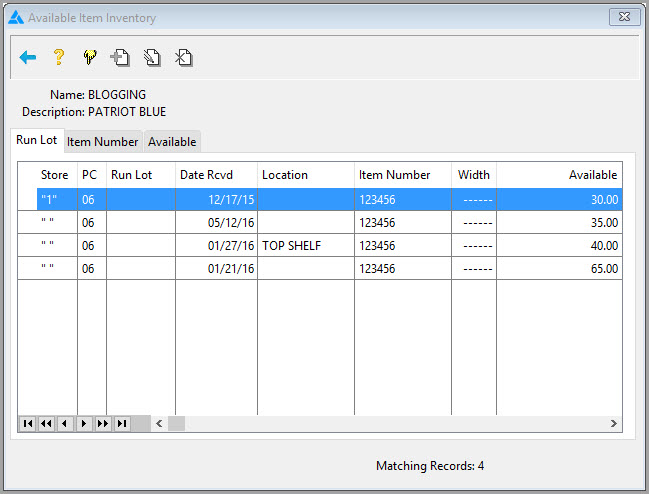
However, if there is a “suitable” inventory record available in the same size, style and color as the selected product, a list of these records will display in a dialog box.
Comments
Article is closed for comments.