
If Balancing Provider Charges with Order Service Line Costs is set to
Set Order Line Cost=Provider Record Rate
Set Order Line Load = Provide Record Load ( By Product Code, Service, and Service Number)
Set Computer Generated Order Line Load = Provider Rate Load (By Product Code)
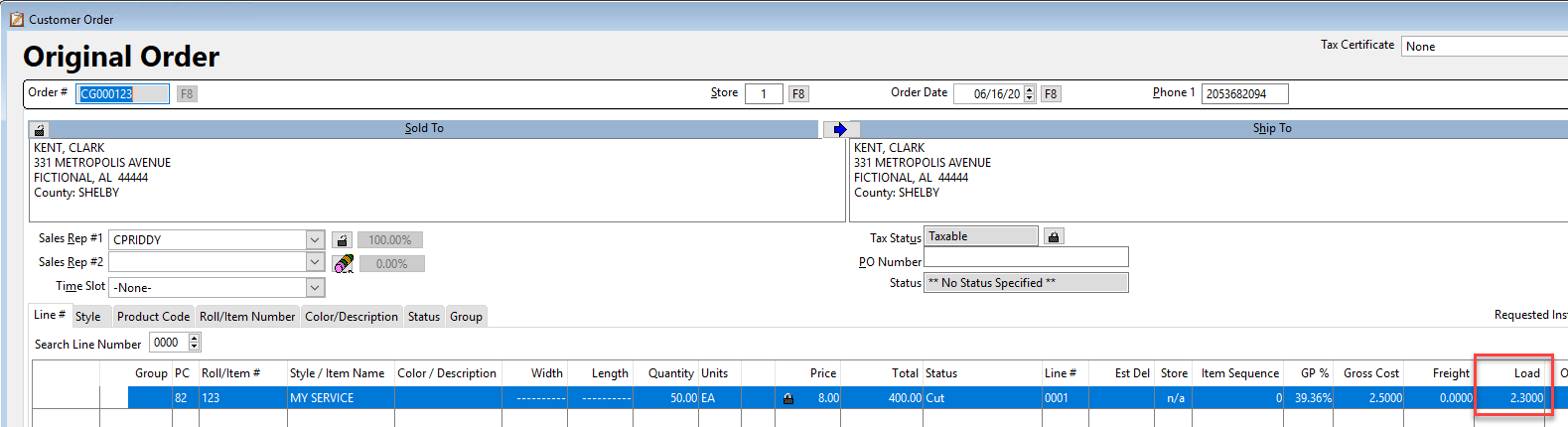
and there are multiple installer records that match the Product Code, then RFMS uses the average load unit price to update the Order Line Load amount. Previously, RFMS used the highest load amount.

For Example,
Original Load on Service = 1.50
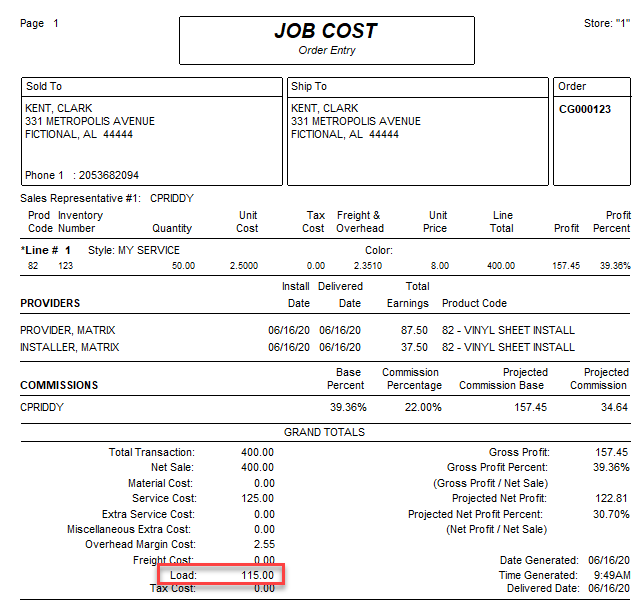
Provider - 35 each x 2.00 Load = 70.00
Installer - 15 each 2 3.00 Load = 45.00
70.00 + 45.00 = 115.00 \ 50 each = 2.30 New Load

Comments
Article is closed for comments.