
Utilities>System Option>User System Options

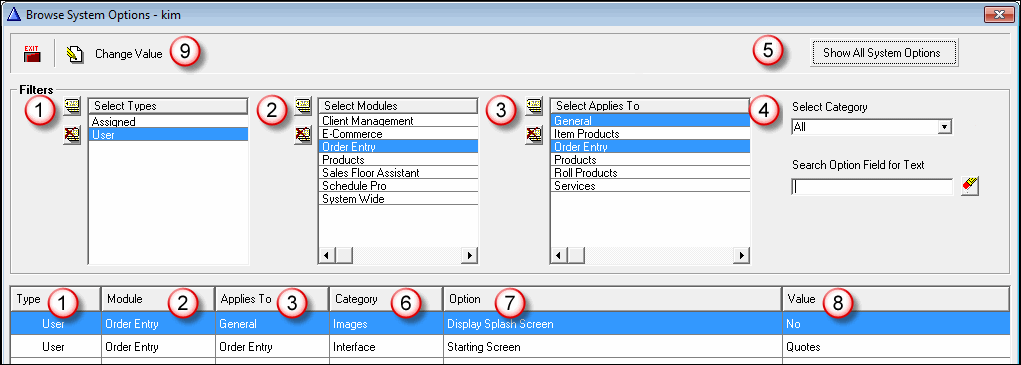
- A user can select to see assigned type options also.
- The module will default to the module on when entering the system options. The module is also a column in the browse list.
- Applies to: helps narrow the list of possible options. Applies to is also a column in the browse list.
- If there are many options to choose from enter a keyword and then the tab key to search for a particular option.
- If unsure of the module or what it applies to use the Show All System Options button to include all options in the search.
- The Category describes the function of the option. Use the Select Category drop-down list to show only one category at a time.
- The option itself is listed in the browse list.
- The Value column lists how the option is currently set.
- To edit an option highlight it in the browse list and click the Change Value
- System options that are not valid for a user will be listed in gray. These options are dependent on another option that has not to be activated.
Comments
Article is closed for comments.