
Overview
Schedule Pro integrates with Order Entry when entering a provider record to keep the pay status associated with installers or suppliers in the RFMS application.
Creating Provider Records
Schedule Pro>File>Create Providers Records
This screen is where the provider information from schedule pro to the provider’s record in RFMS Core is tagged and sent. The only lines listed here will be service lines or temporary lines.
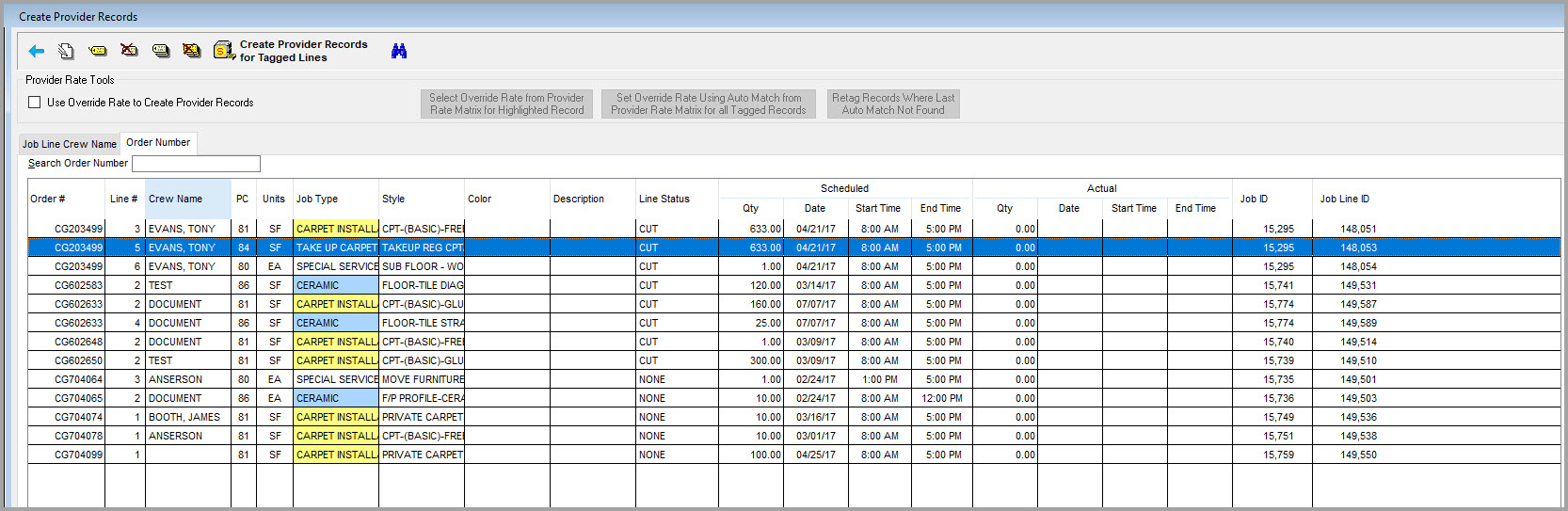
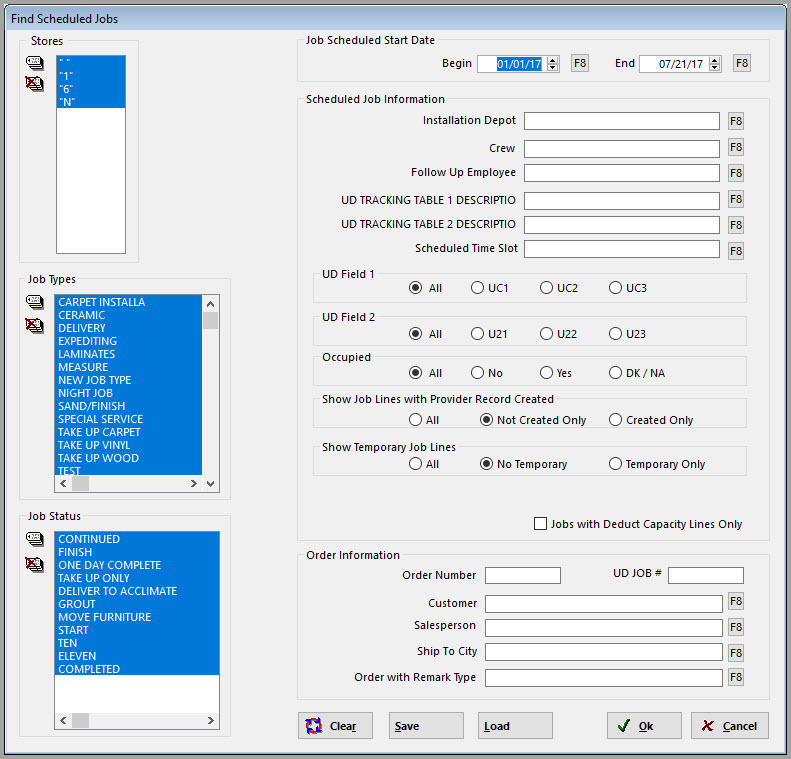
Use the find button to list the records to be created.
Tag the Records by using the Tags buttons on the toolbar or by clicking in the far left of the row.
Click the Create Provider Records for Tagged Lines button  to actually post these records to RFMS Core. Click Yes. The lines that were tagged will disappear from the browse screen after posting.

Important Notes
- Let’s also say Joe Installer is marked with a pay status of Do Not Pay in Human Resources. If a provider record is added in Schedule Pro, this status will be inherited in Order Entry for this customer order.
- Schedule Pro has also been updated to work with ERRM. When Schedule Pro posts an installer record to Order Entry, then the appropriate journal entries will be made if ERRM is turned on.
Comments
Article is closed for comments.