
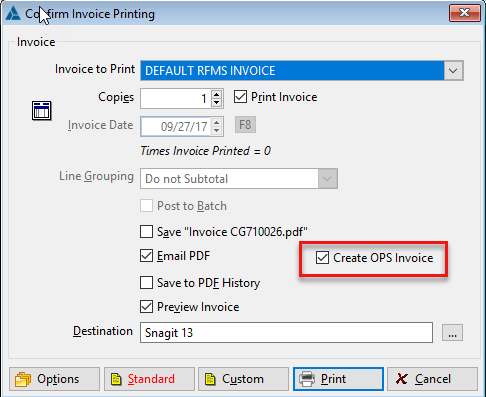
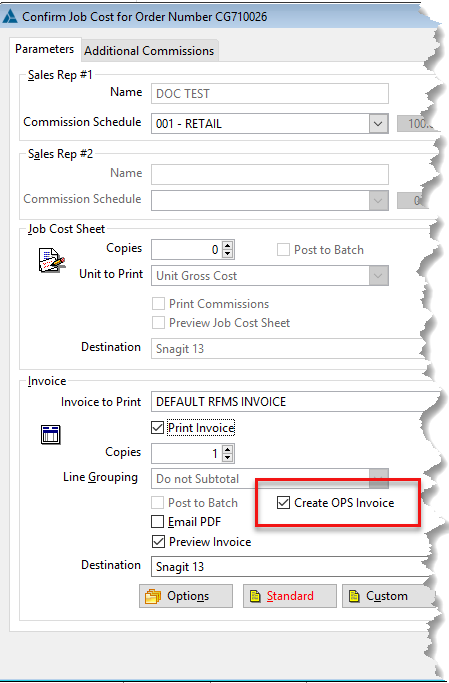
When printing an invoice for this customer, the option for Create OPS invoice will be available, this
option is available only once per invoice to prevent accidentally billing multiple times. If an invoice is sent in error, correct it by logging in to the Ops website and fixing the issue from there. This option will be grayed out for non-Ops customers and for Ops invoices which have already been created.
Order Entry>Print Button
Order Entry>Job Cost Button
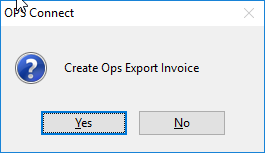
For the file to be created, the invoice must actually be printed, so if during preview an error is detected, simply cancel printing and make the needed changes. Since an invoice cannot be created one more chance is given to abandon the invoice and make changes after the invoice is printed.
Answer yes, to create the text file to be transferred to Ops Technology.
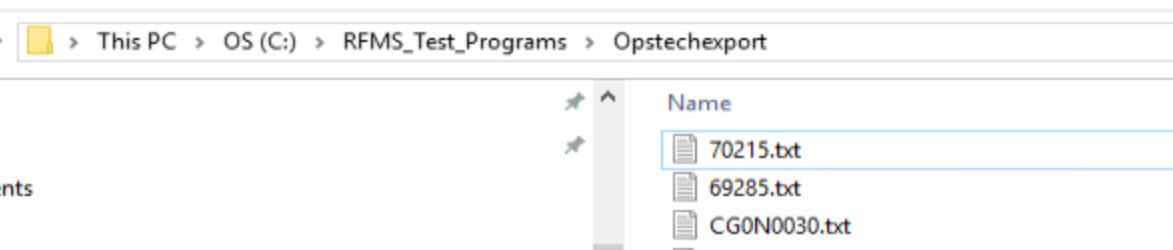
The scheduled task created by your technician, will transfer this text file to your Ops technology site.
Comments
Article is closed for comments.