
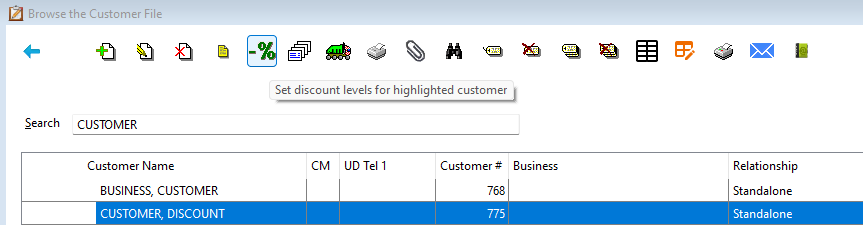
To assign a discount for product codes to a customer, go to Order Entry>File>Customers Highlight the Customer that the discount needs to be applied to and Click the Set Discount Levels button.
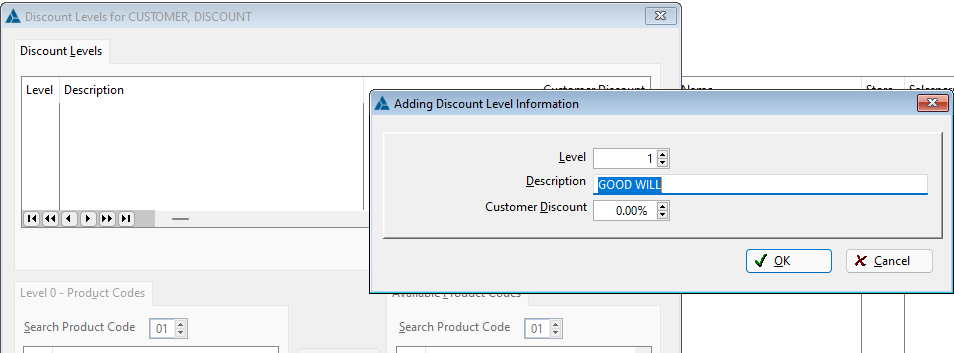
Click the Insert Button to add the Discount Levels for the customer.
Highlight the Product Code on the right. Click Add to add the Product Code to the Discount Level list.
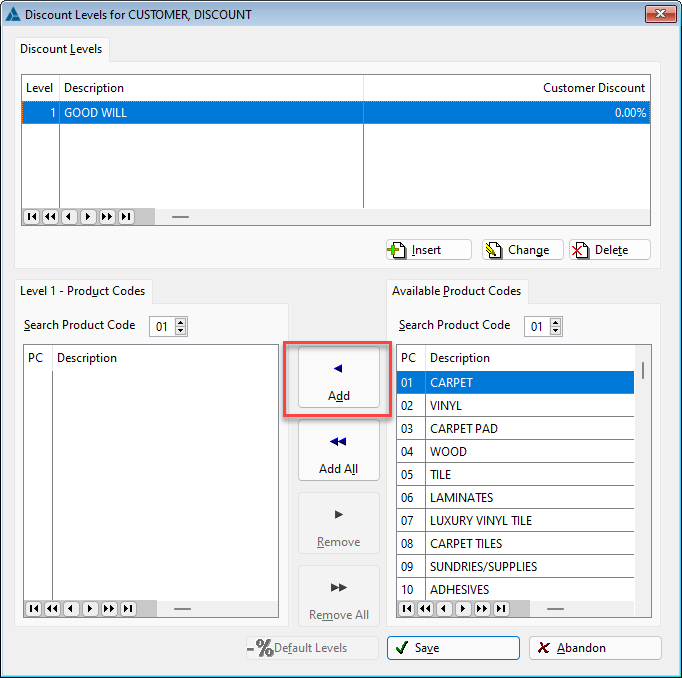
Once all the levels are set, click Save.
Comments
Article is closed for comments.