
Job Time Slots
Schedule Pro>Utilities>Set Up>Job Time Slots
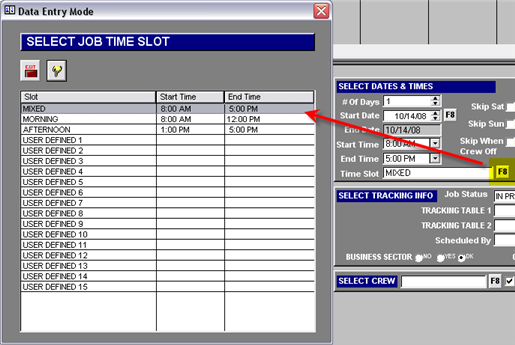
This screen allows creating a list of Job Time Slots to be used to quickly assign time frames to the jobs. On each job, a Start and End time can be manually edited, but most users prefer to use Time Slots for speed and consistency.
The first three time slots are hard-coded in the system. Their names however can be edited. They are “MIXED” which is an all day job (8:00 AM to 5:00 PM), “MORNING” which is from 8:00 AM to Noon, and “AFTERNOON,” which is from 1:00 to 5:00 PM. To edit the name on these three, simply highlight the line, click the Edit (yellow pencil) button and type the desired name. Duplicate time slot descriptions are not allowed.

Based on System Settings (General Tab), jobs can default to a Morning or Afternoon time slot based on the Work Order Notes in order entry.
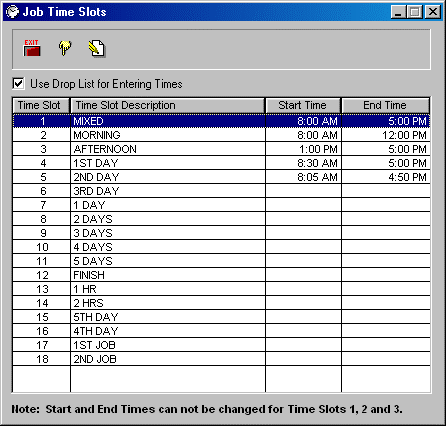
Time slot descriptions can be added or deleted from this screen. Fifteen user-defined fields are included. In the example above, Time Slot 4 has been “user defined” as an 1st Day.
To edit the fifteen user-defined time slots, highlight the line, click the Edit (yellow pencil) button and type the desired Time Slot Description, then click Tab and edit the start time, tab again to edit the end time.
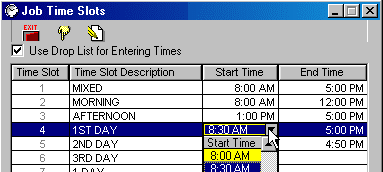
In order to make scheduled times more flexible an option to not limit times entered to those on the time drop list has been included.
If the box is checked, picking from the 30 minute intervals in the drop list for Start and End times for each slot is required. If the box is not checked, any time can be typed in.
Comments
Article is closed for comments.