
Full Dashboard User Guide
Sales Representative Comparison can compare sales information against other sales representatives only if they have the Password Rights. Date ranges are Current Month, Current Quarter, and Current Fiscal Year.

Password Rights
The ability to only see self or other sales representatives is set up under Order Entry>Utilities>Maintain Passwords.
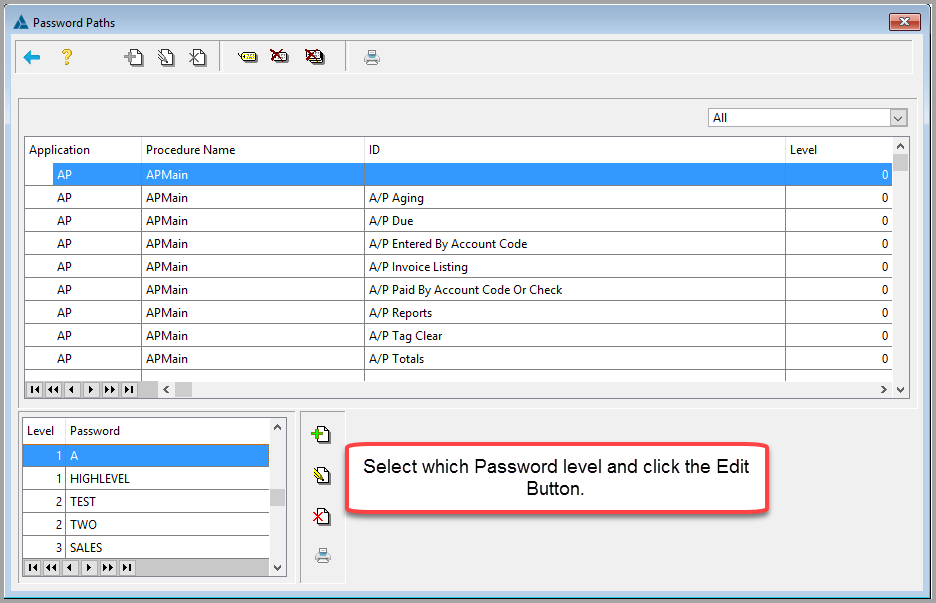
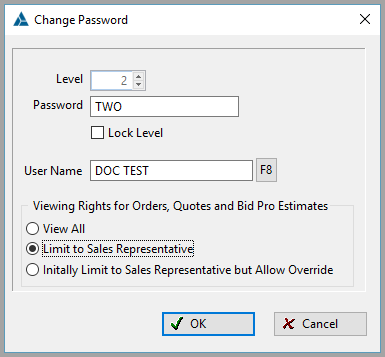
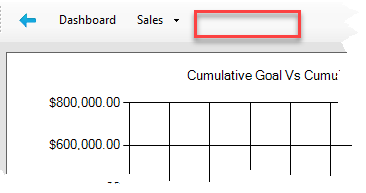
If the View Level is set to View All, the salesman should be able to see the Salesman Comparison button at the top of the Dashboard.

If the View Level is set to Limit to any other value, the salesman will not be able to see the button at the top of the Dashboard.
If the View Level is set to View All, there will be a dropdown menu to the top right of the screen to select a Sales Representative for viewing. This is useful for managers.

Comments
Article is closed for comments.