
Full Additional Commissions User Guide
Additional Commission for a specific customer can be added on the Additional Customers tab in the Customers module.
Additional Commissions Tab

Insert 
The Specify Additional Commission tab appears.
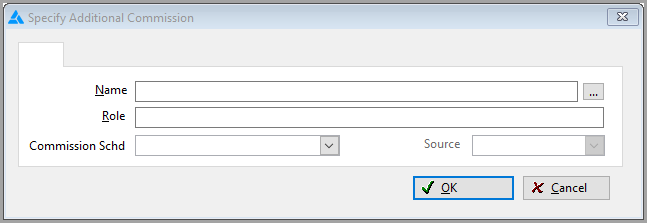
Field Explanations
Name-Click the Ellipse button to pull the information from Utilities>Commissions>Additional
Commissions tab.
The fields below are pulled in from choosing a Name above.
Role-The role is a representation of the commission type. For example, you may want to pay Commissions to an interior designer on a particular job. You would therefore enter Designer as a role.
Commission Schd-Select a Commission Schedule from the drop-down menu. These schedules have been set up at Utilities>Commissions>Commissions Schedules tab.
Source- This will be Customer, Human Resource, or Supplier.
Change 
This option allows the Commission Schedule only to be changed on the record. No other fields can be edited from this screen.
Comments
Article is closed for comments.