
Booking the Sales counts the sale and costs of the sale in the journal and will show on the corresponding financial statement. Click the Job Cost icon located on the toolbar to Book the Sale.
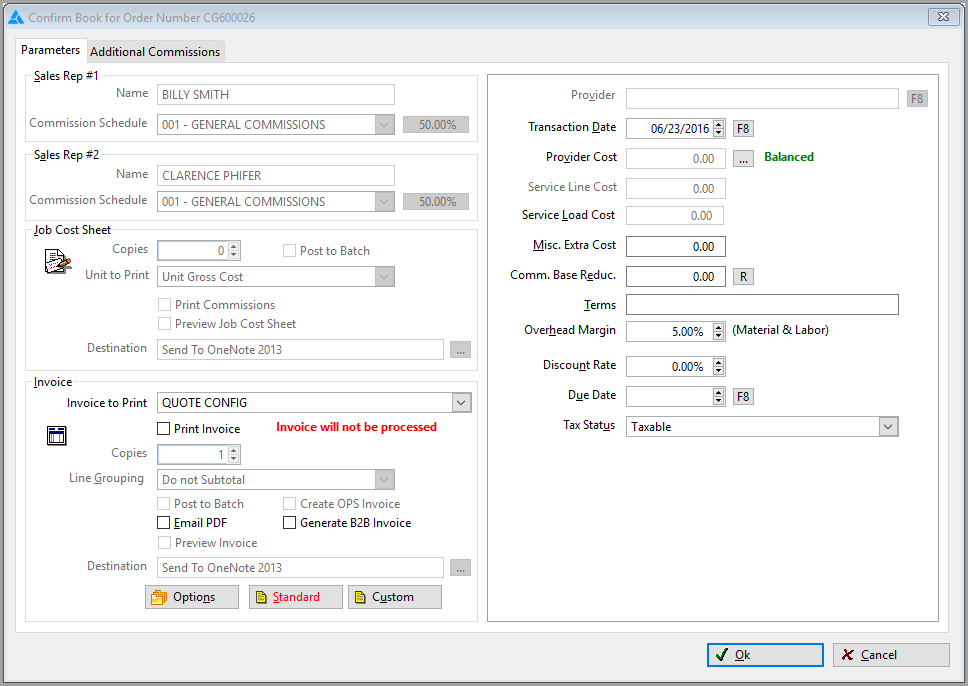
- To Book the Sale, all lines are required to be in a “Delivered” status and provider earnings must be balanced.
- The Transaction Date cannot be before the Delivery Ticket Date or the Latest Installation Date for Providers associated with Order.
- If vendor invoices have not been posted for inventory; the sale may still be booked. The system will use the purchase order value to book costs of sales.
- Any differences will be settled at the time of Job Costing.
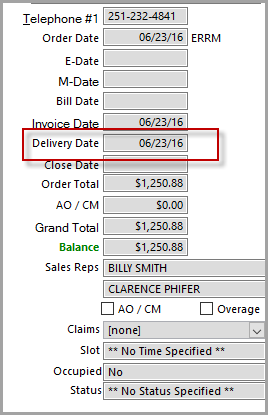
- When a Sale is booked, the line statuses change to Job Costed and a delivered date displays next the order on the Customer Order screen.
- Note that Tax will be posted at the time a sale is booked. Sales and Use Taxes are posted to the Tax Report at the time a job is Booked. The system follows the same rules as before when calculating and reporting tax information.
- Booking and job cost dates cannot be earlier than the delivery ticket date.
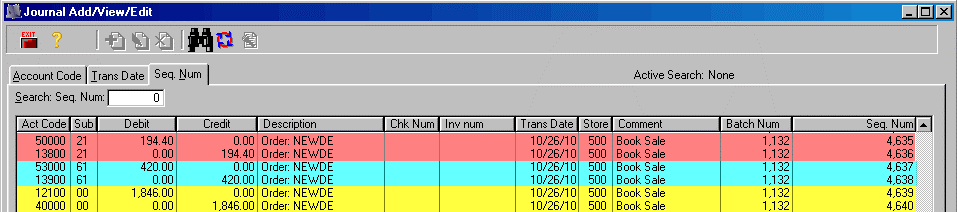
- The following journal entries will be made.
Debit to A/R Unbilled Credit to Sales
Debit to Cost of Goods Material Credit to Work in Process Material
Debit to Cost of Labor Credit to Work in Process Labor
Comments
Article is closed for comments.