
Order Entry>Quotes>Edit>Find or Find Button 
The feature can also be used to narrow the list on the Quotes Browse Screen
 Export Options
All
No Quote or Related Quote Exported
If the Primary or any of the Related quotes have been exported then it will not display.
Quote Or Related Quote Exported: if the Primary or any of the Related quotes have been exported then it will display.
Exported Quotes Only
The actual quotes that have been exported will display.
Quotes with Samples Outstanding Only
When this box is checked, the records will only be filtered for quotes that have a sample that is still out.
Save and Load
Make all the choices on the Find screen.
Click Save and the Save Current Filter screen opens. Type in a File Name.
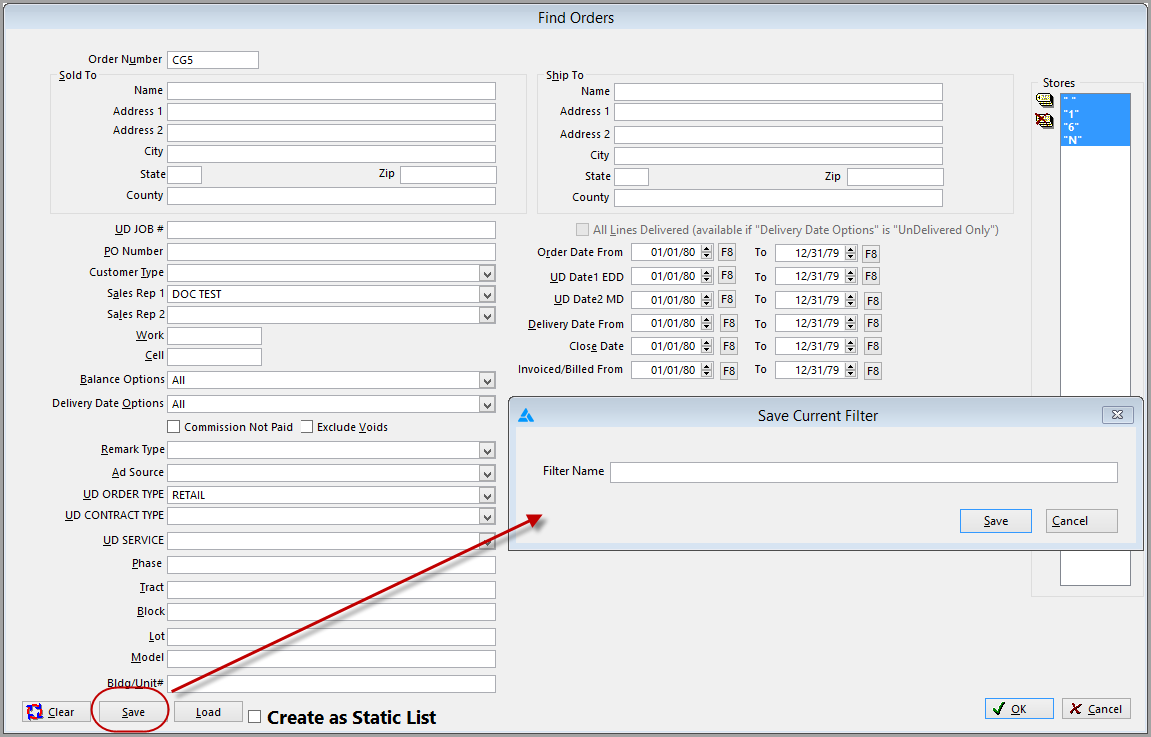
Once a Find has been saved it can be loaded.
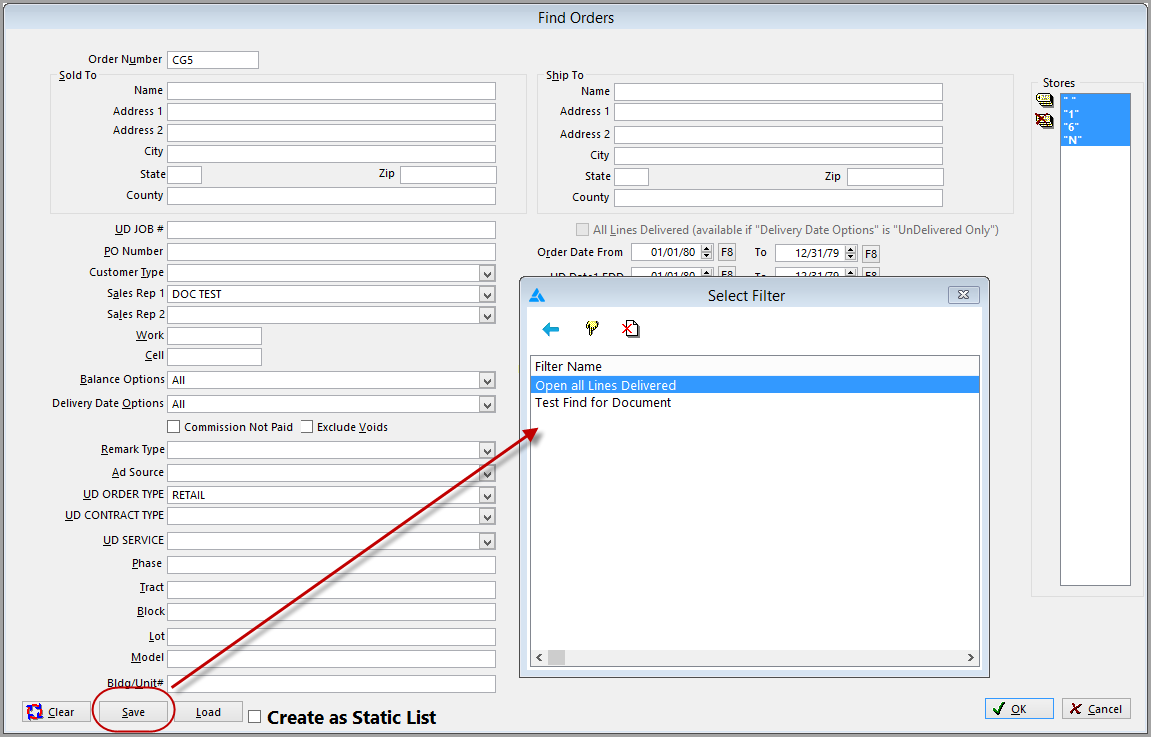
Click Load.
The Select Filter screen opens. Highlight the filter and click the Select button  .
.
Comments
Article is closed for comments.