
Invoices and Quotes have an option to print or not print the company name and address at all. In the print options, selecting "Use letterhead" will not print any Company Name or Address information at all.
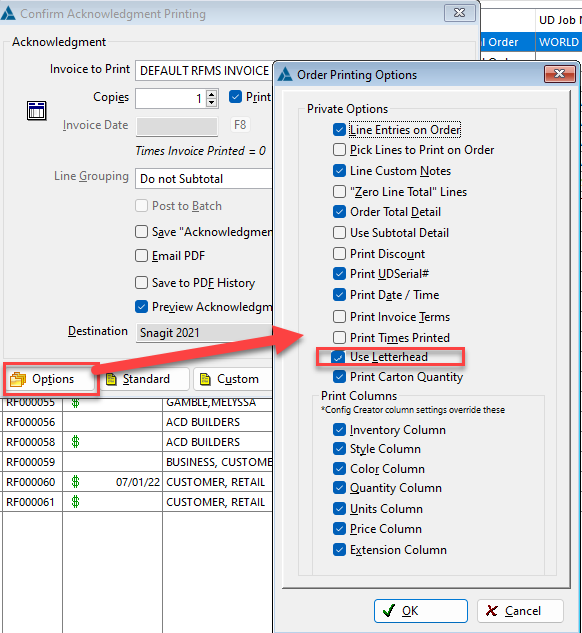
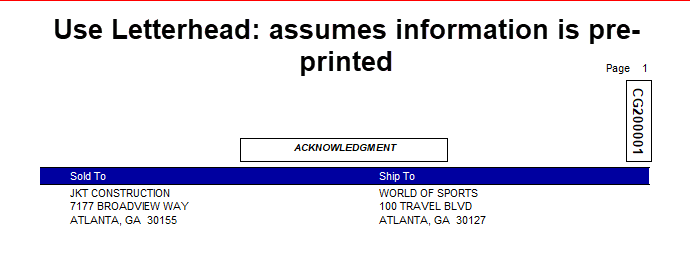
Unchecking Use Letterhead will pull the Company Name and Address by default from your company license information here: Company Information – RFMS Help Desk (zendesk.com)
To use the store information from each store code instead, set these system options:
Use Store Name on Printouts - System Options – RFMS Help Desk (zendesk.com)
Use Store Address on Printouts - System Option – RFMS Help Desk (zendesk.com)
That store information is set up here: Set Up A New Store - Store Codes – RFMS Help Desk (zendesk.com)
Want a logo to print on your invoices? Add one with the system option: Company Logo.
Do you need more customization? Try the RFMS Config Creator.
Comments
Article is closed for comments.