
Full Order Entry Reports User Guide
Order Entry>Reports>Certified Payroll
This selection prints a listing of certified payroll for a specified time period. The system will default to the last payroll paid date. Click the down arrow at the Print Tax Id Field to select between: not printing the ID at all, printing it in full or printing it with only the last 4 digits shown.
This report requires legal sized paper.
Click here for details on certified payroll.

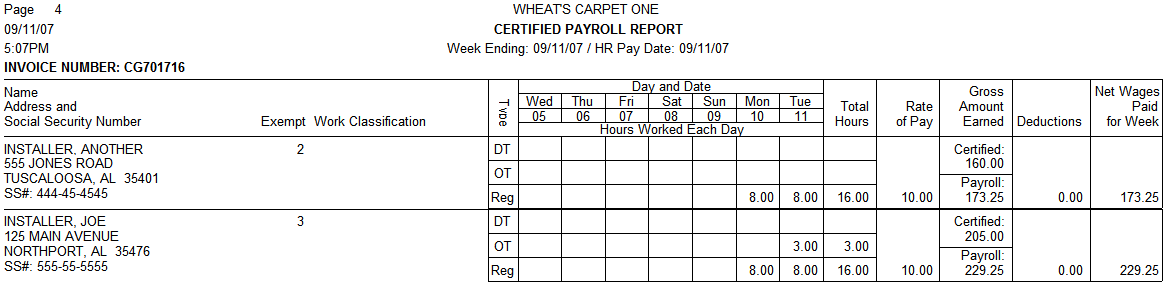

Project number and Project Name fields are populated depending on the “Group By” option chosen
- By Billing Group: Project Name and Number comes from the value in the Billing Group
- By Job Number: The Project Name will be the Job Number. The Project Number will only appear if the Order happens to be part of a Billing Group.
- By Invoice Number: The Project Name will be the Invoice Number. The Project Number will only appear if the Order happens to be part of a Billing Group.
Comments
Article is closed for comments.