
Sometimes a temporary change is needed on a worker's pay. To do this without losing the normal settings
1. Make sure everything is correct for a normal pay run, click the  button on the lower left of the prepare pay screen. Select Save Current Worker's Preparation Values.
3. Make the temporary changes and complete the pay run.
4. On the next pay run, click the button, this time select Restore Previously Stored Preparation Values.
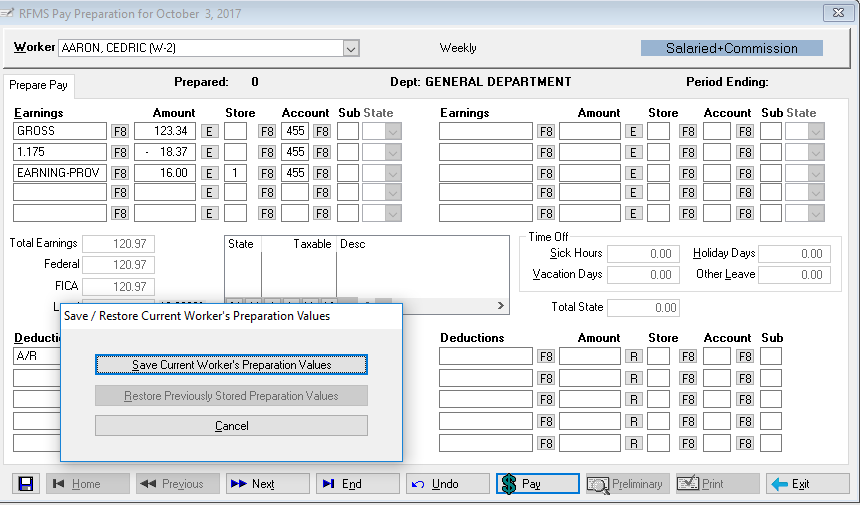
- Save the current worker's prepare pay selections or restore the previously saved selections.
Comments
Article is closed for comments.