
Utilities>Set Up>Hold Types or File>Customers>Changing a Customer Record>Additional Information>Hold Type> 
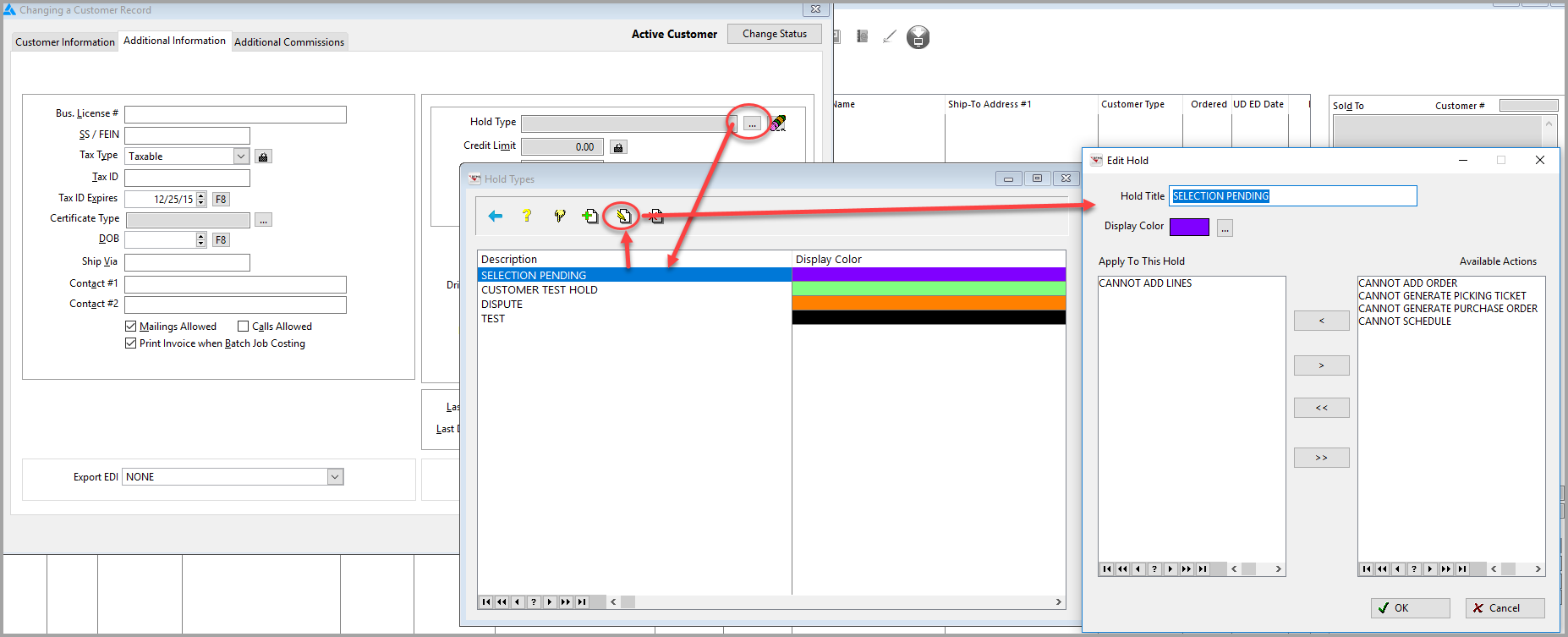
The ability to create and add Hold Types to a Customer is available. The actions available to add to the hold are
- Cannot Add Order
- Cannot Generate Picking Ticket
- Cannot Add Lines
- Cannot Schedule
- Cannot Generate Purchase Order
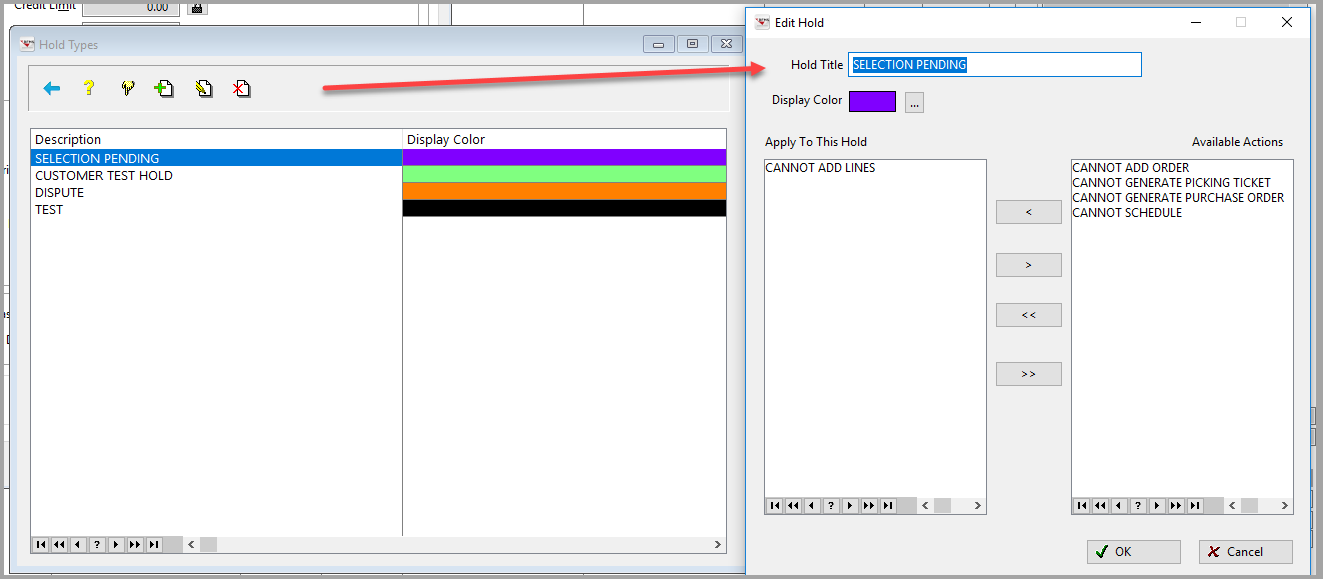
The Hold Type can be selected from the Drop-down Menu.
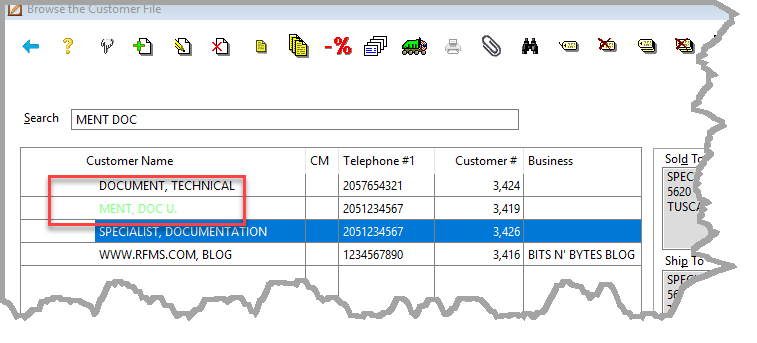
The Color selected changes the Customer Name to that color in Customers and the Order Number in Customer Orders.
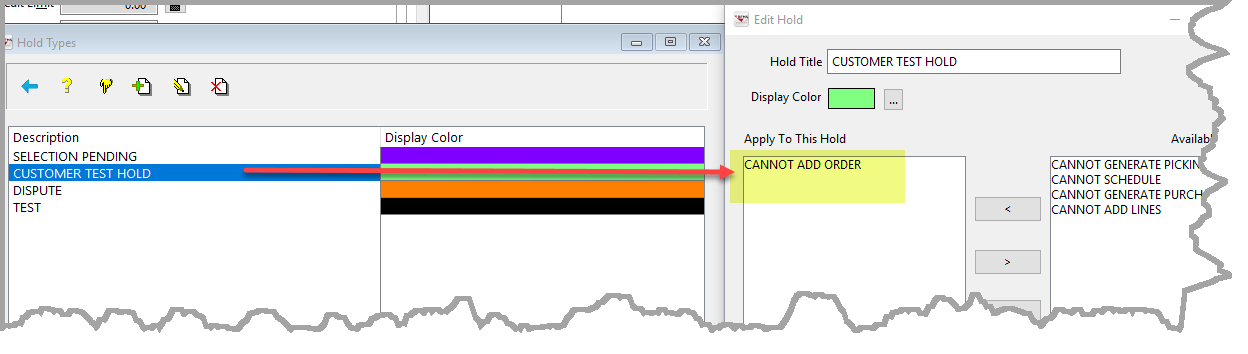
For Example, a Hold Type called Customer Test Hold is created. The only hold on this type is Cannot Add Order.
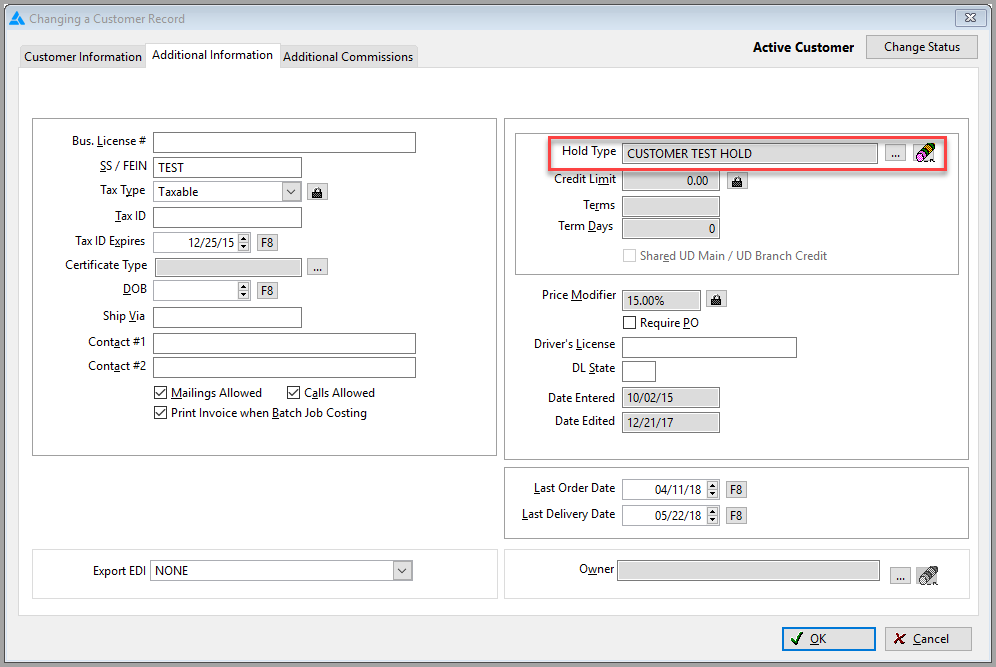
This Hold Type is selected for Doc U. Ment.
On the Customer Browse screen, Doc U. Ment is now written in Green and on the Order Browse screen, the Order Number is now in Green.
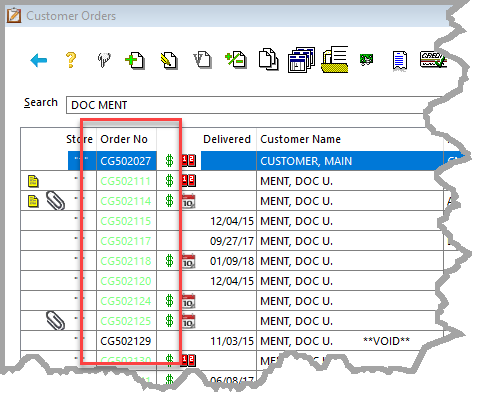
Hold Type can also be set on the Hold Info Tab on the Order.

Note: Hold Type are a separate function from Put Statement on Hold.
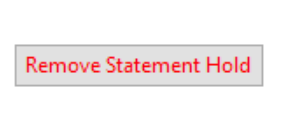
Clicking this button simply prevents this customer order from being included on Statements.
When a statement hold has been applied, the words will display in red and change to "Remove Statement Hold".
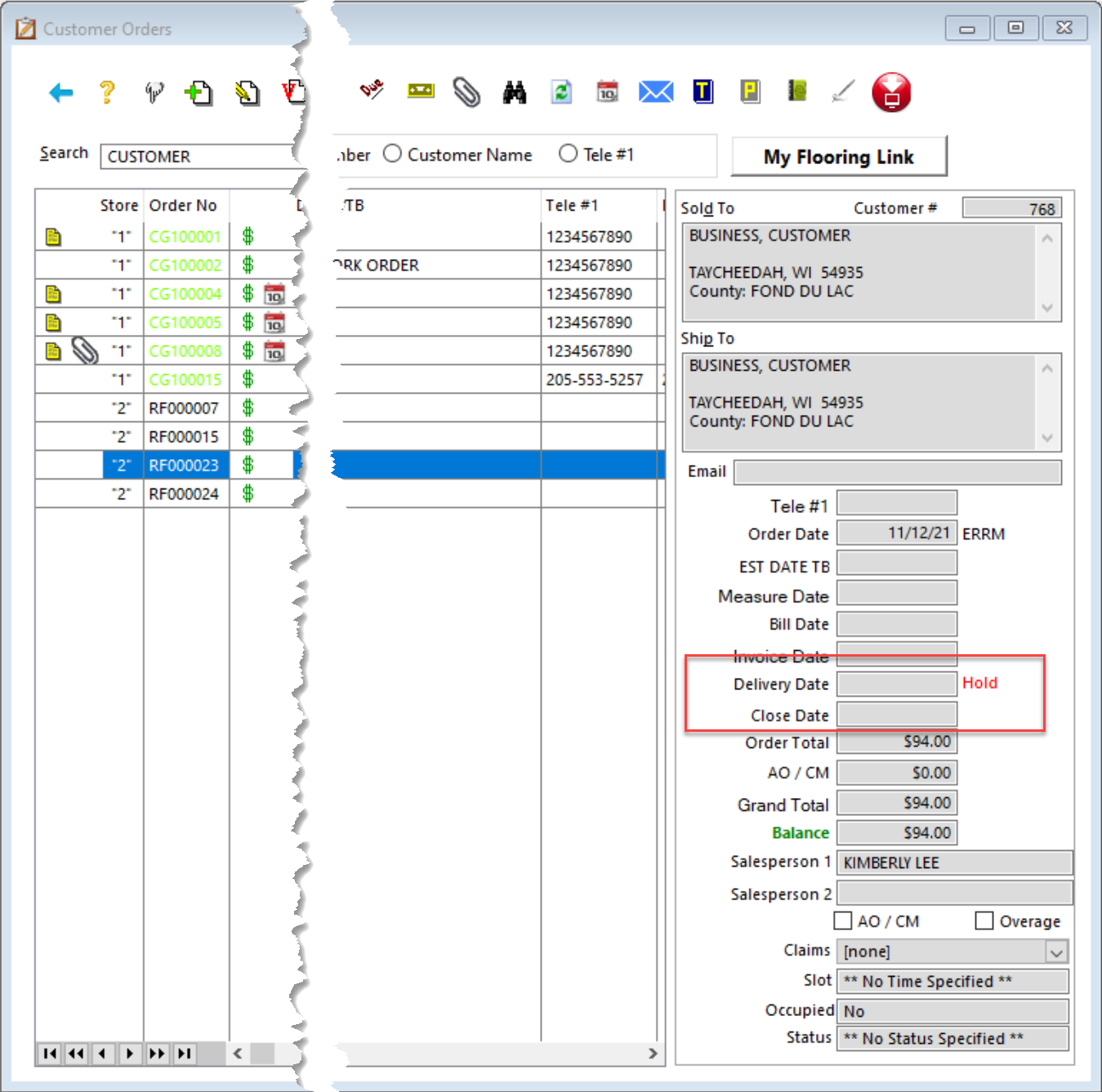
There is also an indication in the order detail from the browse list.
For directions on obtaining a list of orders on hold, click here.
Comments
Article is closed for comments.