
Full Direct Deposit User Guide
An Advanced Setup option has been added to the Direct Deposit Utilities menu. If this option is selected, all the set up will be done in Business Accounts and System Setup is no longer available or needed.


Advanced Setup in Add/Edit screen gives the user full control over the output file.
The field names on the Advanced Setup screen correspond to the names on the NACHA file. Discuss with your bank what is required and the field names can now match how the bank refers to them (if using Advanced Setup).
Below is the description of the information typically used for set up.
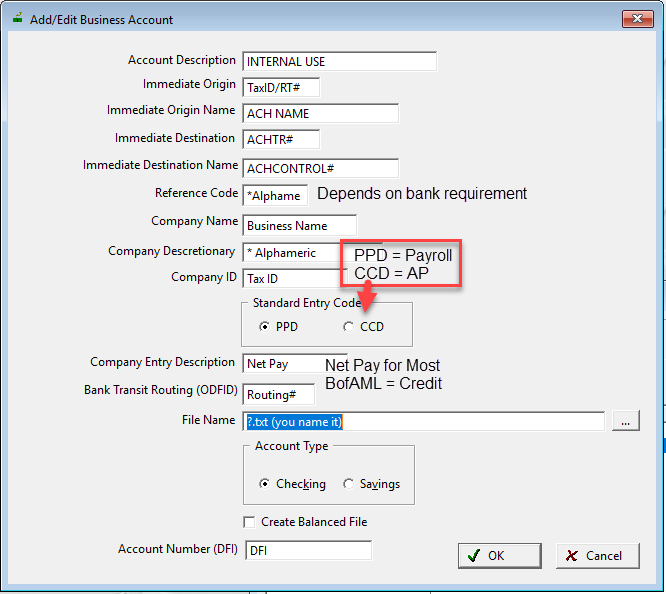
Account Description: Use this field to help distinguish your accounts.
As of version 22.0 the ability to add a bank account number for the balance line detail record. See DFI field. This is optional but required by certain banks.
Comments
Article is closed for comments.