
Accounting>File>Accounts Payable>Check Writing>Flag Payables
Once the supplier file is set up with the account number and routing number then that supplier is considered an EFT supplier.
- When you select EFT in the Check Flagging screen, only EFT supplier records will show.
- Flag the AP to be paid electronically.
- Credits should also be tagged when flagging checks.
- Click the Printer button to print.

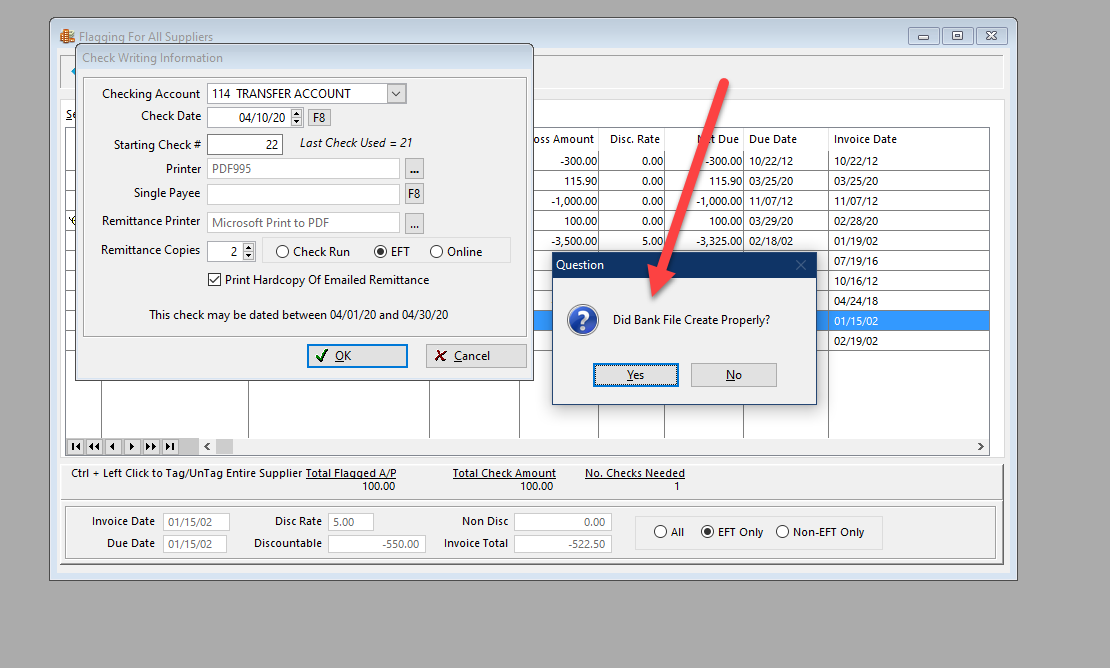
Select Transfer account; select to print hard copy remittance at this point. Click OK.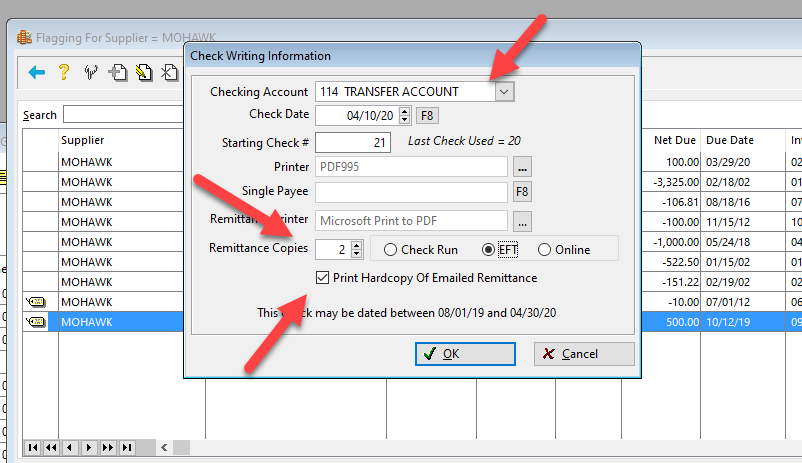
The Direct Deposit module opens up. Select the date the funds should transfer to the supplier.
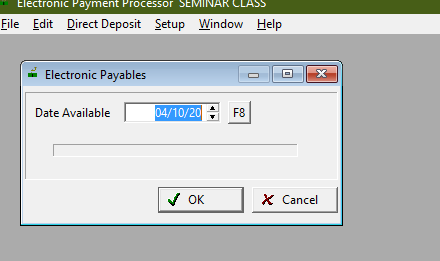
• Click the green transmit icon and Print an Audit Report.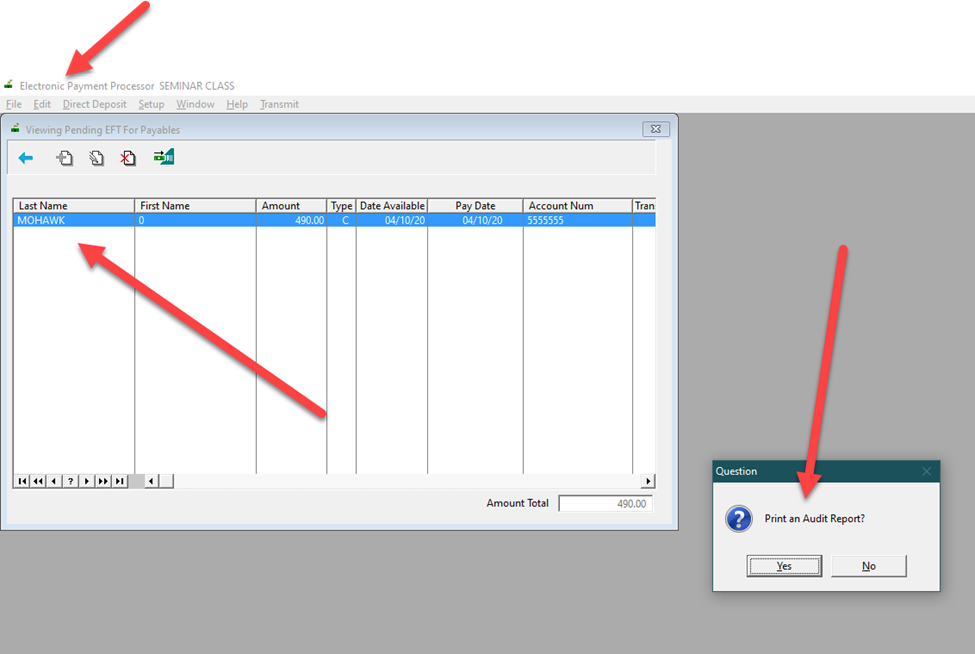
• Select the correct Bank and create DD file to be uploaded to the bank.
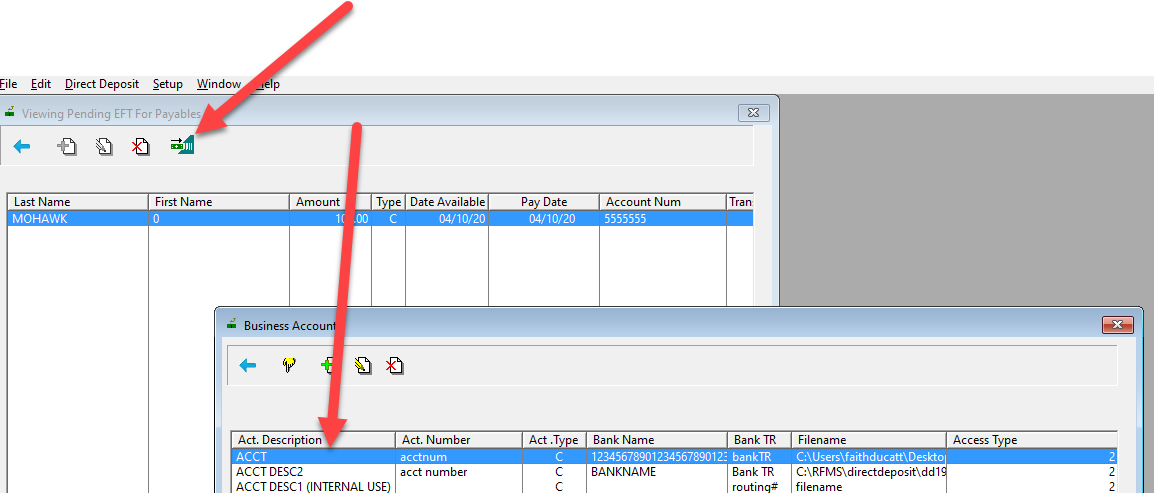
• If yes is selected for "Did Bank File Create Properly?", then the AP screen will open.
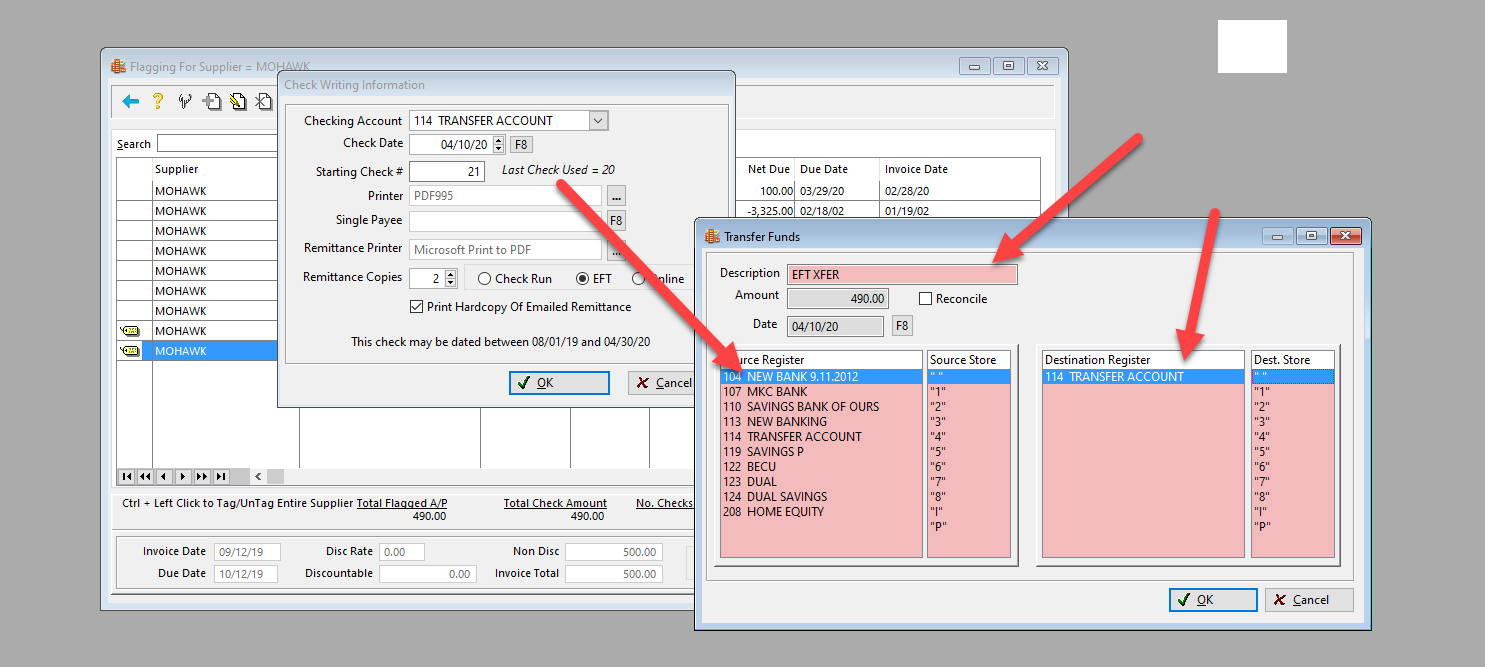
• Transfer funds from the operating account to the transfer account to cover the EFT amount.
• The file is now ready to be transmitted to the bank for processing.
Comments
Please sign in to leave a comment.