
When opening Human Resources, the following message could appear:

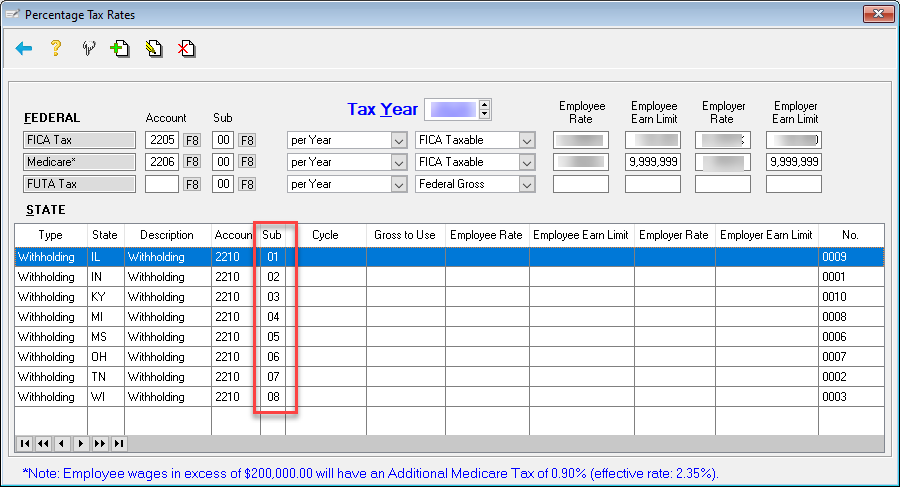
If it does, proceed to Human Resources > File > Percentage Tax Rates. Review the G/L Accounts codes used for your states. In the example below, eight states are listed with the same account code/sub account code:
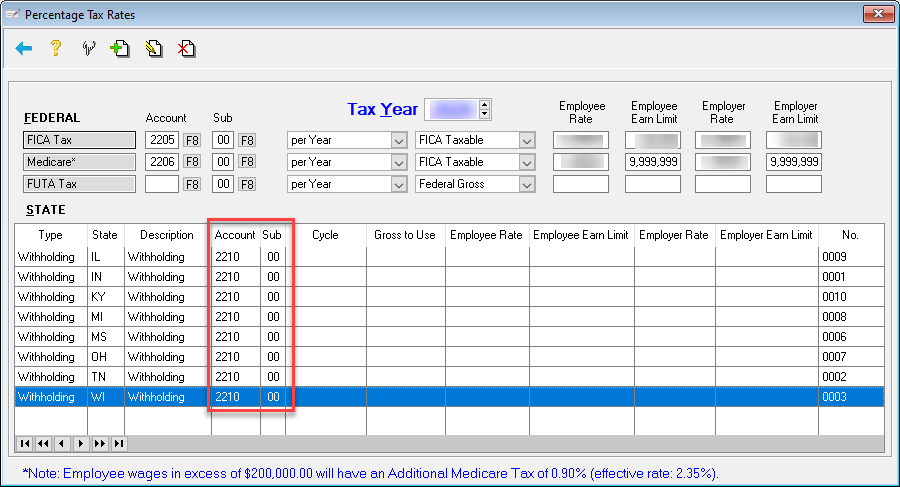
This can be corrected by creating new account codes and associating a unique identifier for each state.
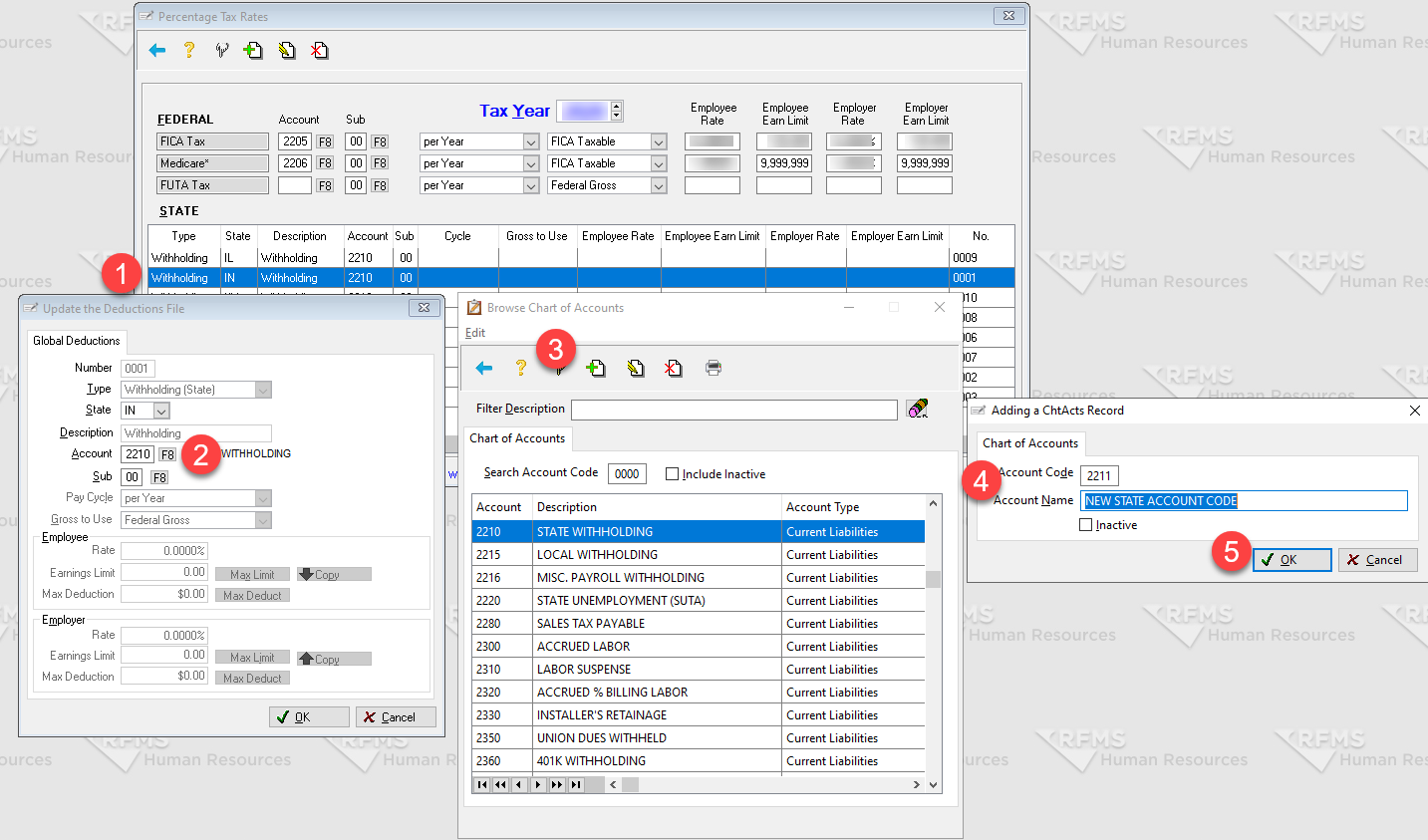
- Double click one of the states
- Click the F8 button
- Click the + icon to add a new account code
- Enter the account code and account name
- Click OK
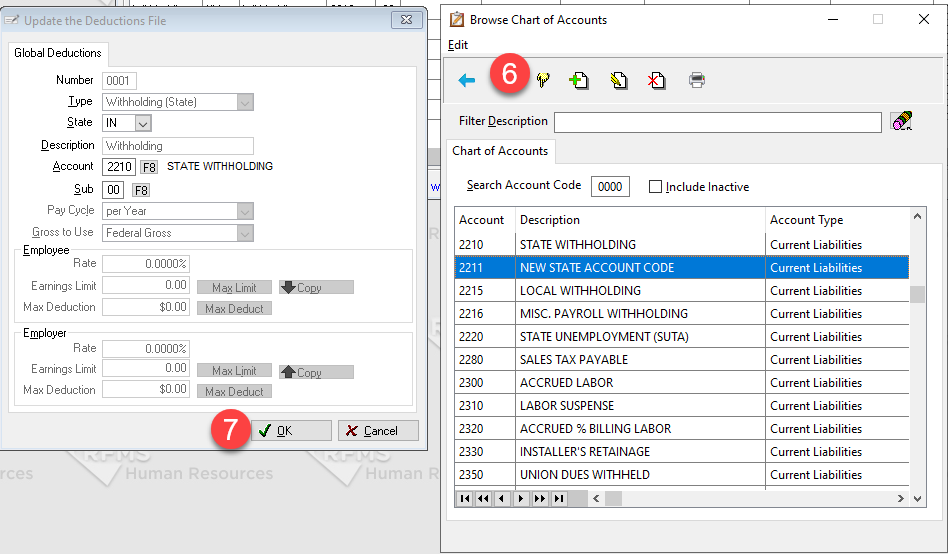
- Select the new code by clicking the finger icon
- Click OK
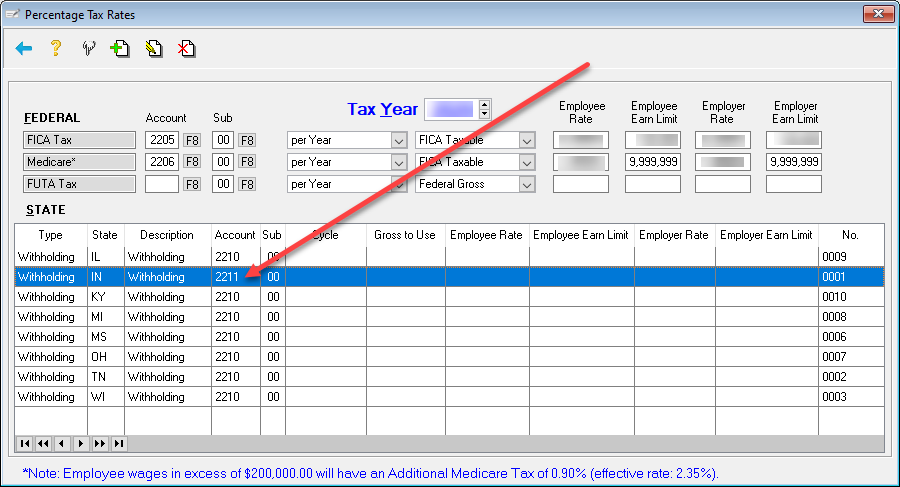
- Repeat for other states, as needed.
NOTES:
- The account codes used above are merely an example. Please contact accountant for account code recommendations
- An alternative to creating an entirely new account code would be to use Sub-Account Codes for your states (see below):
Comments
Article is closed for comments.