
Only pertains to Generation 1 API (depricated)
This happens when a record is locked by a mobile device and never unlocked. Once unlock is used, any changes made on the mobile device will not import. The record will have to be fetched again.
First check and make sure it doesn’t appear in RFMS Mobile > Order Entry > Dashboard > Drafts with unsaved changes.
If this is not the case then either:
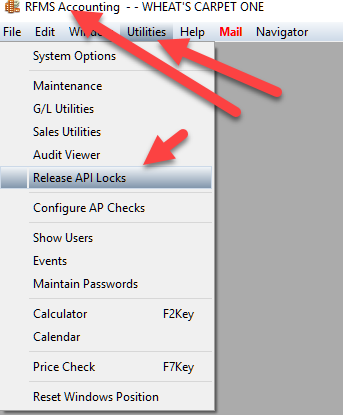
Go to Accounting>Utilities>Release API Locks
OR
Go to admin.rfms.online and click on the store box (yellow box). Click locks in the top right hand corner.
Comments
Article is closed for comments.