
Go to Accounting>File>Accounts Payable>Supplier
Tag Suppliers.
You must tag supplier records before printing, otherwise, nothing will print. Either tag individual suppliers or tag all of the records.
Click on the printer icon 
Choose Supplier Information Listing.
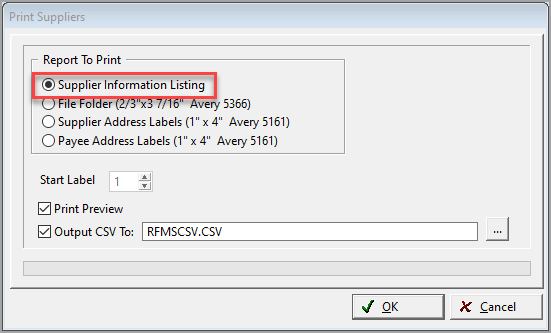
Check the print preview option to preview the report before printing.
Output to CSV file allows you to create spreadsheet type file of the information.
Comments
Article is closed for comments.