
When changes to a customer order occur and the customer does not want to receive a separate order number for changes, an add-on or credit memo can be created within the original order.
Creating an Add-On / Credit Memo
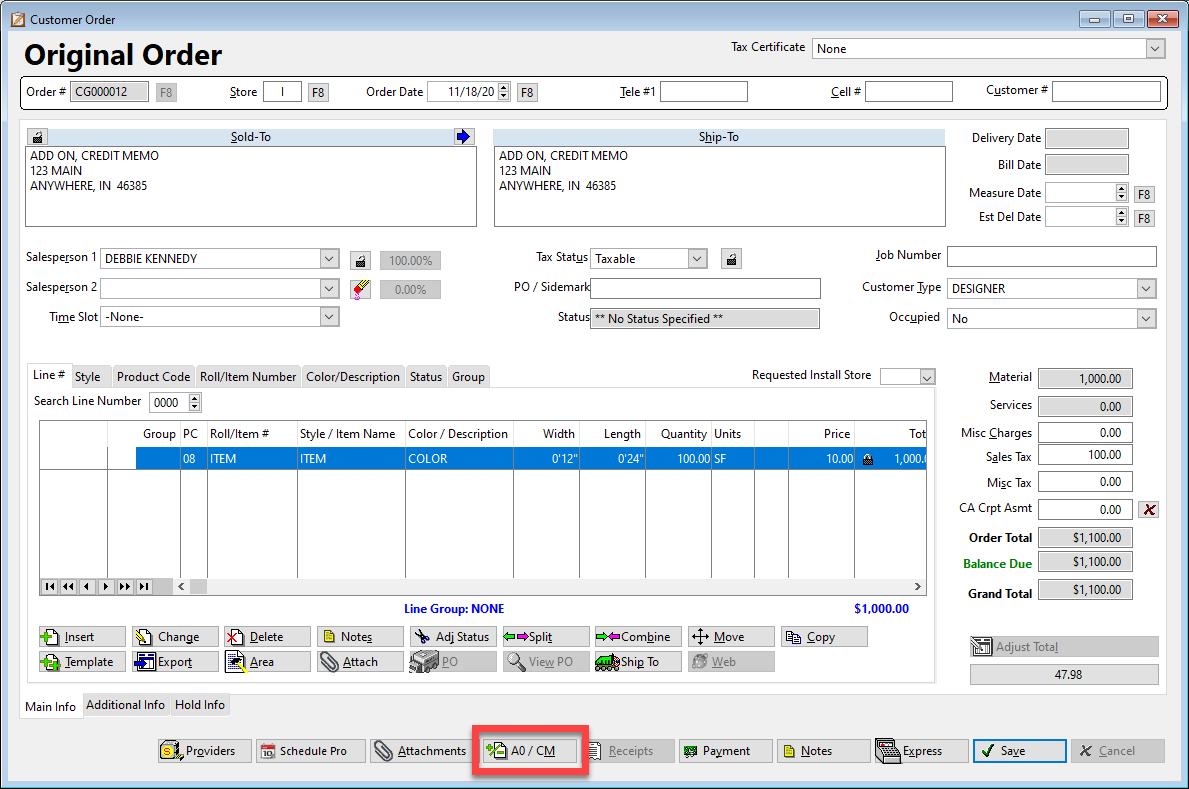
To begin, click the Process Add-Ons and Credit Memos icon within the order:
When the Add-Ons / Credit Memos window appears, click the green plus icon to add the change in the order:
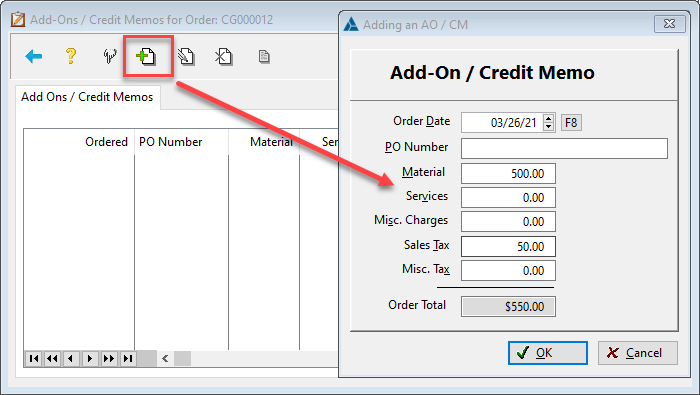
If a positive number is entered, the change will be processed as an Add-On.
If a negative number is entered, the change will be processed as a Credit Memo.
Add-On / Credit Memo Order Changes
- Header: The header will be altered by the amount of the figures entered.
-
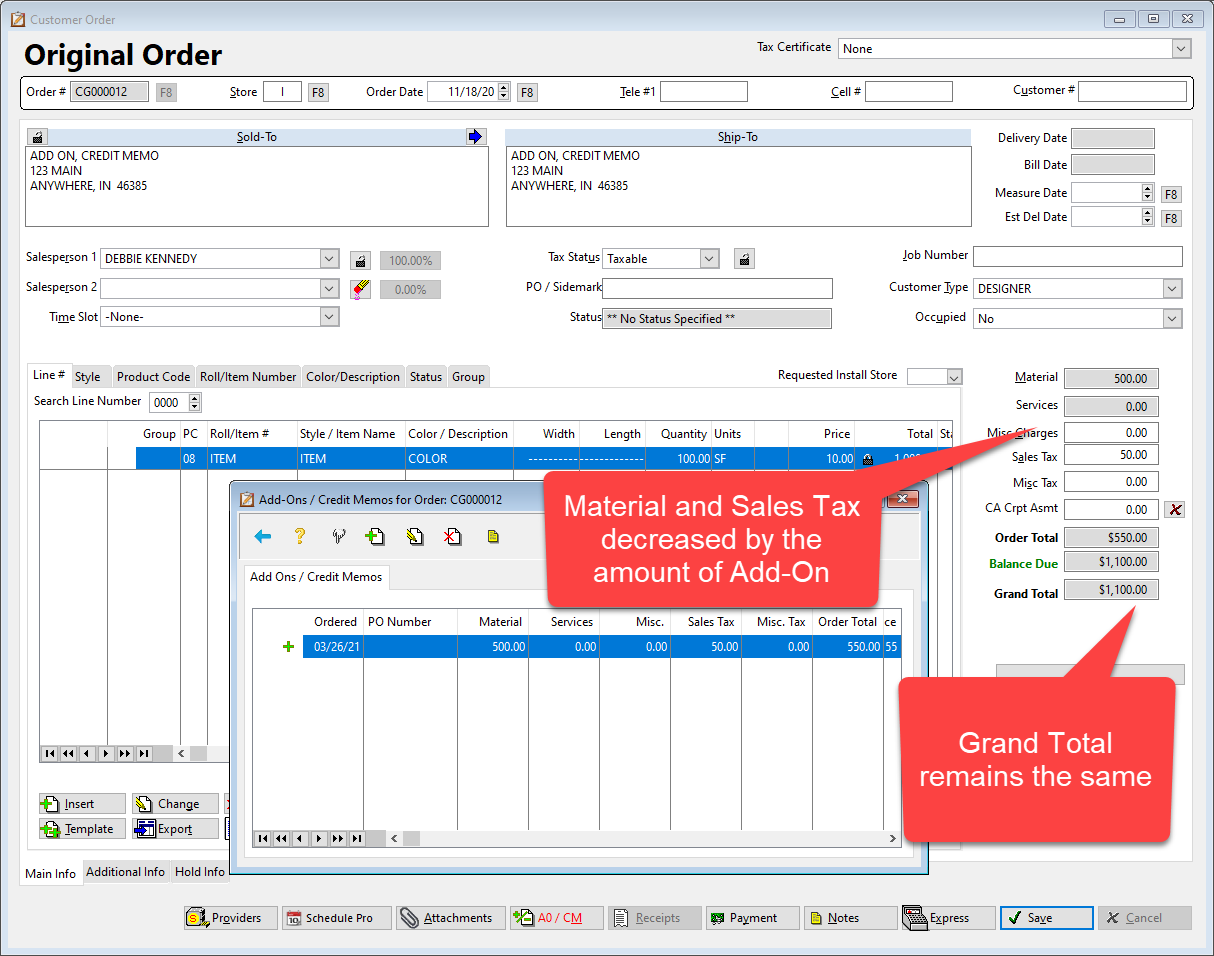
- Positive Numbers (Add-On) will DECREASE the figures of the header.
- Negative Numbers (Credit Memo) will INCREASE the figures of the header.
-
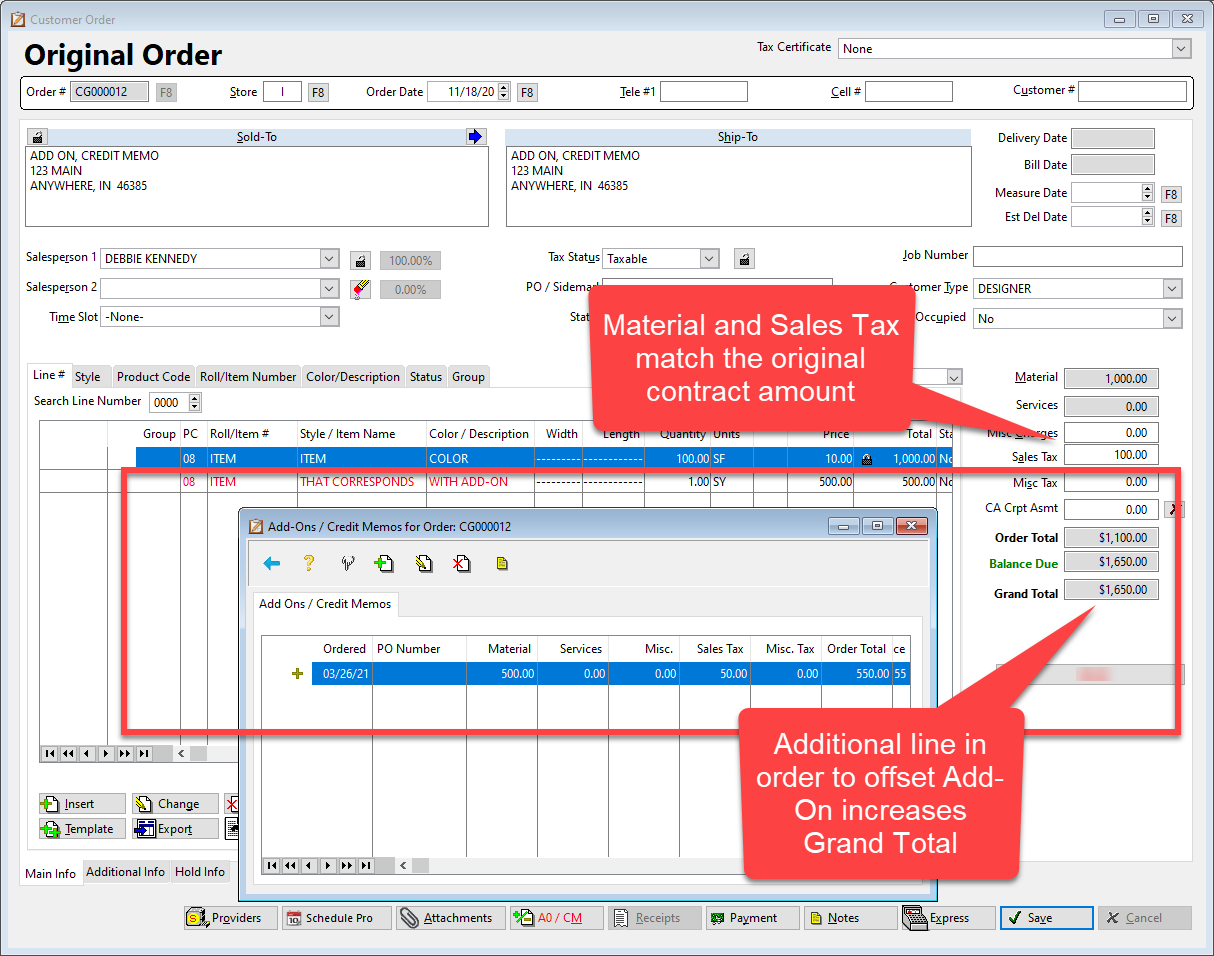
- Lines: An Add-On or Credit Memo creates NO changes to order lines. If the original header figures should be unchanged, the lines of the order need to be edited. This can be accomplished by adding lines (positive or negative) or editing existing lines (positive or negative) depending on the circumstance of the order.
If the Add-On is processed as the screenshot appear above WITHOUT altering lines, the header will decrease by $550 -- $500 Material / $50 Tax
To adjust the header to the correct amount, the lines need to be altered so the $550 Add-On INCREASES the Grand Total (and maintains the original contract amount)
Printing Invoice with Add-On or Credit Memo
The Invoice will print the original information and the Add-On/Credit Memo(s) separately. There are several factors to note (see below).
ORIGINAL INVOICE
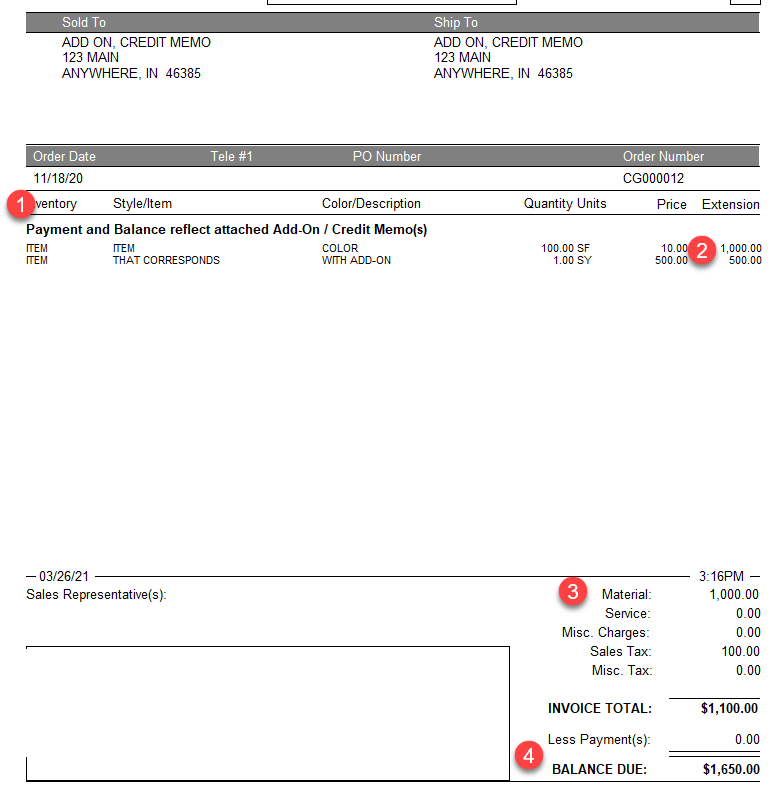
- The invoice notes in bold, "Payment and Balance reflect attached Add-On / Credit Memo(s)."
- This will show the detail of all lines regardless of association with original order or Add-On/Credit Memo(s).
- Because of showing all lines, the Material/Service/Misc Charges will not total the sum on the lines.
- The Balance Due will include figures from Add-On/Credit Memo(s).
ADD-ON/CREDIT MEMO INVOICE
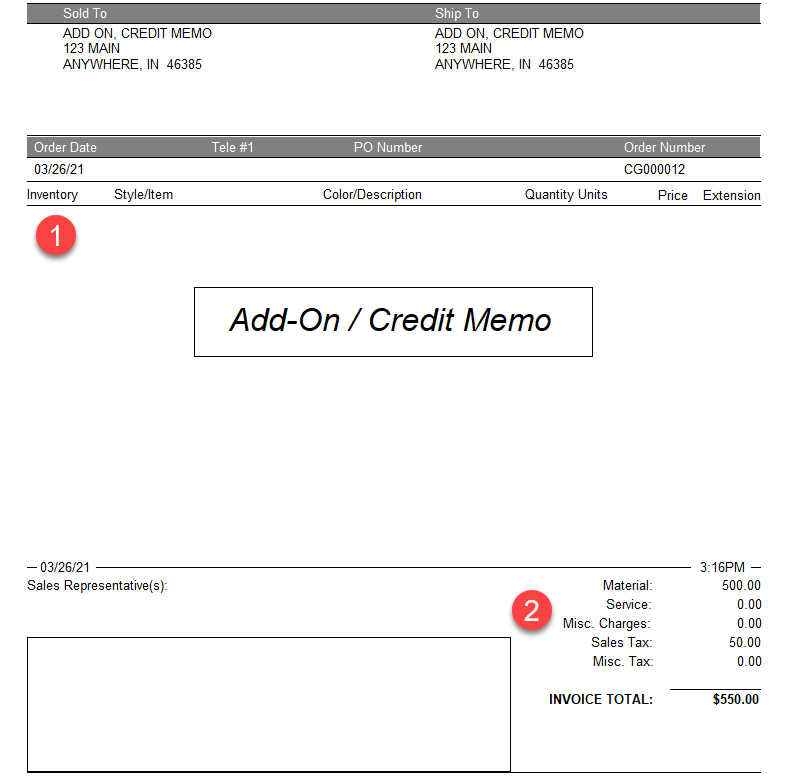
- There are NO lines listed on Add-On Credit Memo invoice pages
- The footer of the invoice will reflect the totals entered on the Add-On/Credit Memo window regardless of any line changes.
Comments
Article is closed for comments.