

This feature allows entering a listing of notes used on a regular basis.
By simply having these notes listed under the Recurring button on the Notes page, they can quickly be associated with the Customer Order, PO, etc. without having to retype the same information repeatedly.
Sort and search by the notes by description or number.
Use this to distinguish between notes for various departments, as this recurring list is available in several areas of the software.
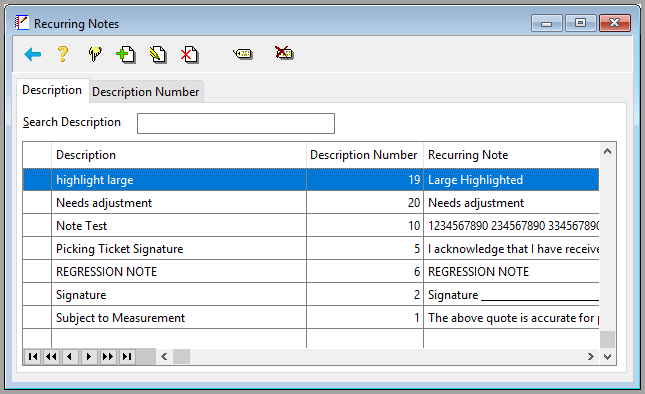

Create the Recurring Note on the Notes screen so that it can be formatted the way you want. Then copy and paste it to the recurring note screen.

While the font on recurring notes is MS Sans Serif, use Microsoft Sans Serif to match the recurring font in Notes.
Comments
Article is closed for comments.