
In the instance where an invoice associated with inventory needs to be voided, the best practice is as follows:
Using the hammer & screwdriver adjustment, scrap the inventory associated with the invoice to be voided. This credits the Inventory account and debits the cost of goods account.
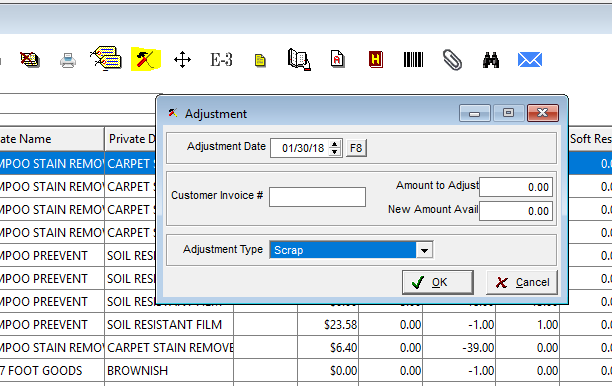
After scrapping all associated material, open the associated payable - it will have a distribution similar to this:
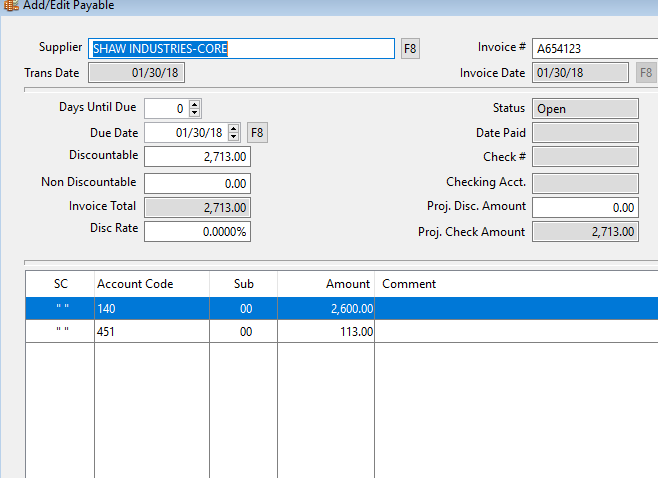
Make the following changes:
- Change the invoice total to $0.00
- Click on insert
- Add a distribution line to the Cost of Goods Sold amount for the balancing amount of the invoice.
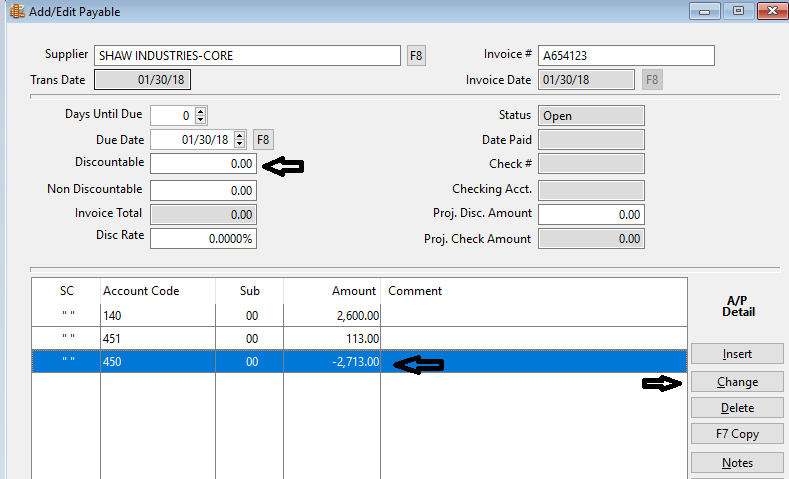
While this does not "void" the invoice, it sets the invoice value to $0.00. The impact of creating the offsetting line keeps the inventory from getting out of balance.
At this point, a dummy check run can be processed to finish the cycle with this invoice or it can be selected for payment during the next cycle with this vendor.
Comments
Article is closed for comments.