
<Accounting>File>Month-End>GST Report
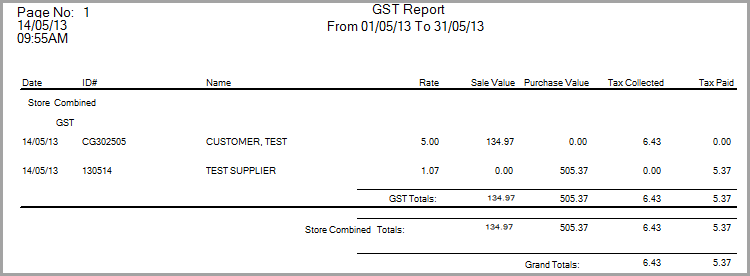
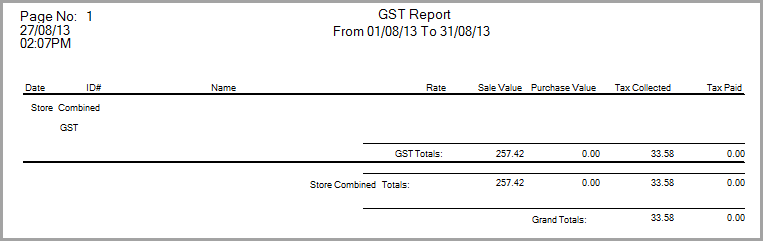
This report shows all payables with an Invoice Date in the date range and for those payables shows the different GST categories and the tax paid. It also list customer orders with a Del Date in the date range and the tax collected on those orders. The customer order will either be GST (If Taxable) or FRE in Exempt or Resale.
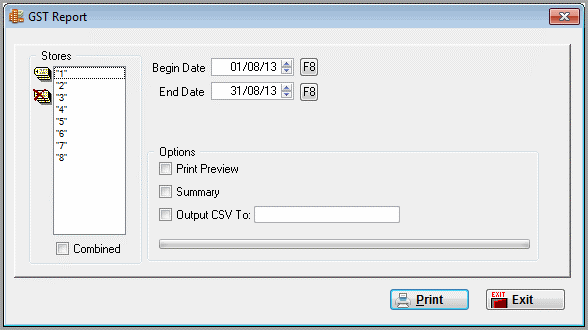
This report only available if >Utilities>System Options>System Wide>General>Country not set to USA and >Utilities>System Options>System Wide>General>Use GST Code set to yes.
Report Columns
Date
Accounts Payable or Customer Invoice Date
ID#
Accounts Payable or Customer Invoice Number
Name
Accounts Payable Payee or Customer Invoice Sold to
Rate
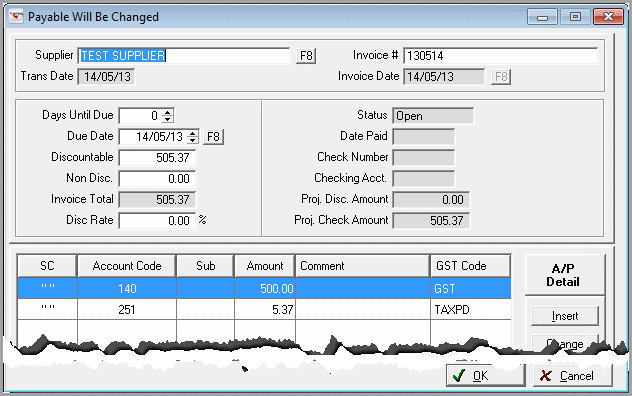
The Tax Paid divided by the Purchase Value minus the Tax Paid. (There has to be a line on the AP marked TAXPD to calculate the Tax Paid.)
Sale Value
The Customer Sale Total with GST
Purchase Value
The total value of the AP that marked
Tax Collected
Taxes collected on the Customers Order
Tax Paid
This the amount marked on the AP as TAXPD in the distribution
Go to GST Default Code to set the Default GST Codes for this report.
Comments
Article is closed for comments.