
Samples are entered on a Quote just like a regular line.
If you use bar coding, samples can be entered into your inventory and then scanned when entering the Quote line or you can simply enter a line and indicate that the line represents a sample.
- Inside the Quote, Click the Insert Button
 .
. - If using bar codes, make sure that the cursor is in the Product Code field before scanning.
- After the Information is entered, click the sample box at the bottom left of the screen.
- Fill in all the information.
- Click OK.

Out Date
Defaults to today"s date.
Due Date
Defaults out 2 days.
Date Returned
This field is updated using the sample return feature.
Deposit
Any amount required to remove deposits can be entered here.

This money is not posted into the system. One way to keep track of this is to print a copy of the estimate and keep on file with the deposit money.
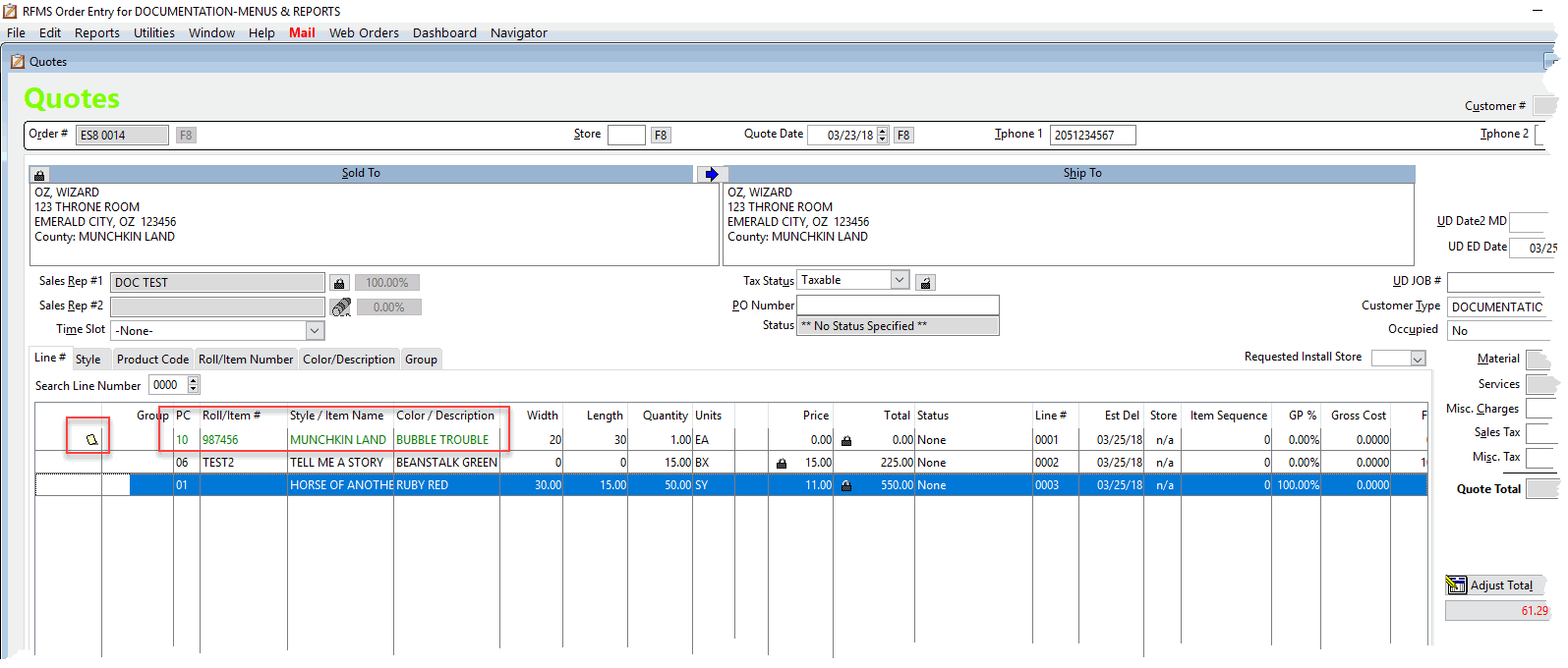
The sample line will show in green and have a sample icon on the line.
Comments
Article is closed for comments.