
FULL PROVIDER RATE MATRIX USER GUIDE
Click the provider button  .
.
To add a Provider Record, click the Insert button  .
.
To edit a Provider Record, click the Edit button  .
.

The rate for the provider record can be chosen by:
Entering the Service and Service Number:
This brings the rate and load forward from the service product record. If any changes are made, to get back to this rate, click the Set to the Selected Service button.
Select from History:
Auto Match from Matrix:
To match a matrix record with the information from the order and provider information entered so far. If there is only one matching record, the rate will automatically update the rate field on the provider record. If there are multiple rates that match, they will be listed to choose from.
Select from Matrix:
This brings up the Provider Rates Matrix Browse list. The Provider Rates Matrix Browse list will initially be filtered by the order and any provider or service information entered. For example the provider in the browse list pictured below is Hourly Employee so Joe Installers rates are not available.
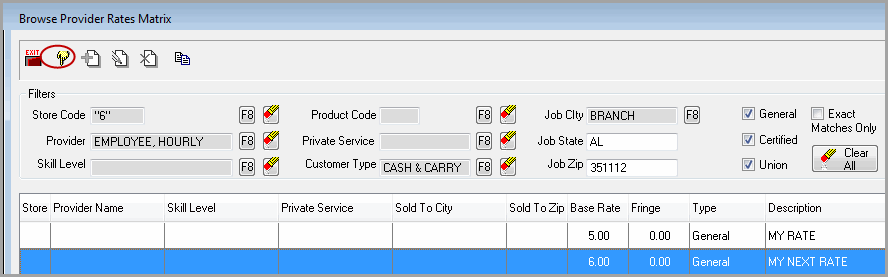
To see all options click clear all 
Select the desired rate by highlighting and using the Select button  .
.
If no service entered for the provider record, the service for the rate selected will populate the provider record.
If the rate has been pulled from the matrix either manually or automatically, the Matrix Rate Information section will have a green check mark and list the details of the rate.

Click the view button  to see the details of the rate that has been applied.


If there are discrepancies between the Provider Record and the Provider Matrix Rate Record, a warning message will be display. It compares worker, store code, product code, service product and skill level.
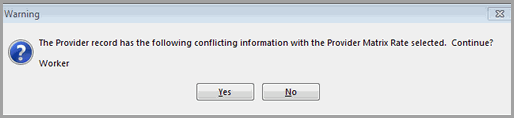
When selecting an hourly worker, the hourly rate will always be set to the workers hourly rate and any matrix information will be cleared from the record. This means that if a previous rate and/or matrix is entered, then you select a different hourly worker it will clear out the existing information that had been entered.
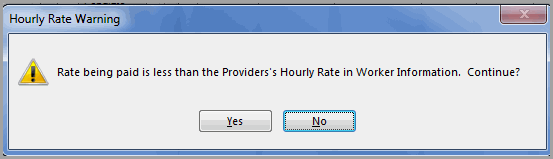
When selecting an hourly employee from the worker information file, if the final hourly rate paid on the provider record is less than the hourly rate in the worker information file for the provider, then a warning message will be display.
Comments
Article is closed for comments.