
Order Entry>File>Customer Orders>Credit Check button  or Order Entry>Edit>Credit Check
Credit check functionality is set in Utilities>System Options>Order Entry>Credit Settings. The system options included in this section are
- Automatic Credit Check
- Allow Job Costing and Picking Tickets for Customers with a Credit Limit not Reached
- Allow Credit Check at Job Costing
- Allow Credit Limit Override
- Credit Check on Delivered Only
- Picking Ticket Credit Check
- Prevent PIcking Ticket from Printing if Customer is over Credit Limit
- Default Credit Limit for New Customers
This screen displays orders for the highlighted customer name that have a balance. The total A/R for the customer is shown. Also shown is the credit limit for the customer as set on the customer information record. The number of elapsed days is the number of days between the delivery date and the current system date. Term days are considered as well.
Rules for Credit Checking
- Credit checks can be performed on either all orders or only job costed orders.
- The system can be set to automatically perform credit checks each time a new order is entered for a customer.
- An override can be set that allows an order to be entered for a customer that has exceeded their credit limit.
- If the customer name on an existing order is changed, a credit check is performed. If the customer is over their credit limit, a message appears. Either change the customer name or alter the credit limit.
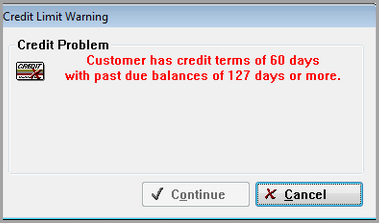
- A message will also appear if the customer if past due on paying their credit even if they are under their credit limit.
Comments
Article is closed for comments.