
Inventory>Reports>Stock Replenishment Report
This report pulls information from the inventory file to report on Inventory to help in establishing needed levels.

Stores: Choose one or more store or all stores by tagging. Selecting combined will total all chosen stores together.
Begin/End Date: These are the dates to use when reporting on the sales/week.
Stock Only: Selecting this will look at inventory purchased via stock purchase order.
Show Only Goods Sold in Period: This looks at only goodssold in the specified period, otherwise all inventory with amounts committed or on hand will be analyzed.
Print Preview: Select to view the report on the screen before printing.
Output CSV To: select to create an ASCII text file for use in other applications. The file name and location can be user designated. The output to file option could include fields not included on the printed report due to space constraints.
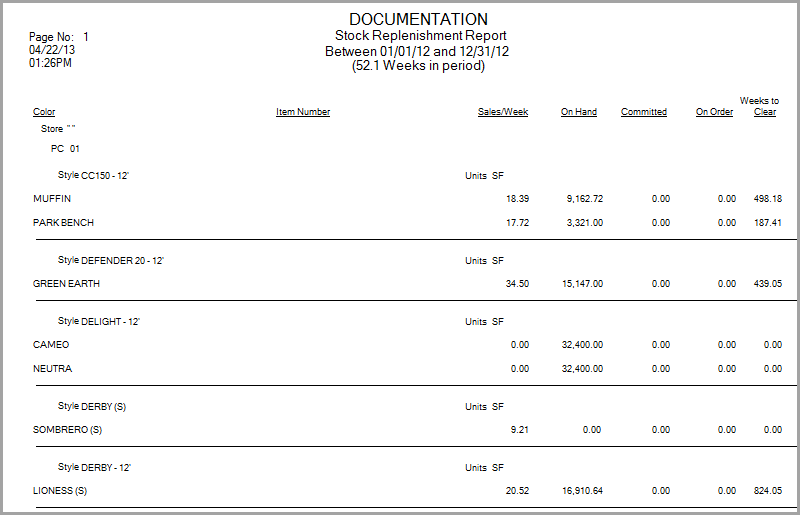
The report is sorted by:
- Store Code
- Product Code
- Style
- Color
Sales Per Week: Amount sold (Amounts adjusted are not included in this number) divided by number of weeks analyzed by the report.
On Hand: square feet available not committed (reserved)
Committed: square feet reserved
On Order: amount on outstanding purchase orders.
Weeks to Clear: if sold at the sales per week rate, how many weeks would it take to use all the on hand plus on order. The amount committed is not included.
Comments
Article is closed for comments.