
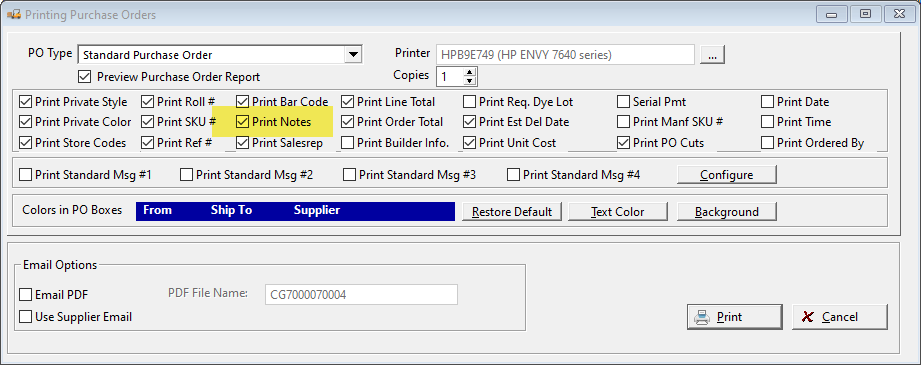
RFMS allows the printing of notes on a Purchase Order:
Where do these notes originate?
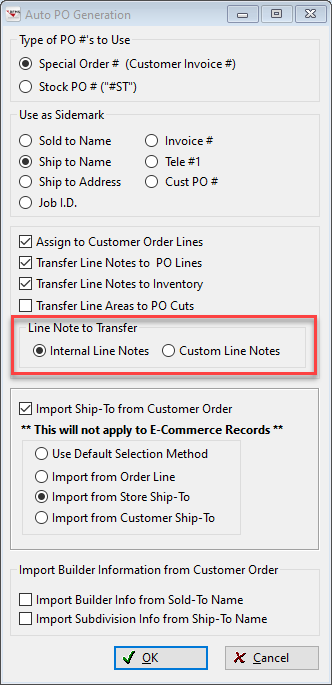
The default note comes from Order As of version 21, the choice is given to select either the order's Internal Lines Notes or the Custom Line Notes.
Where do they appear in Purchase Orders?
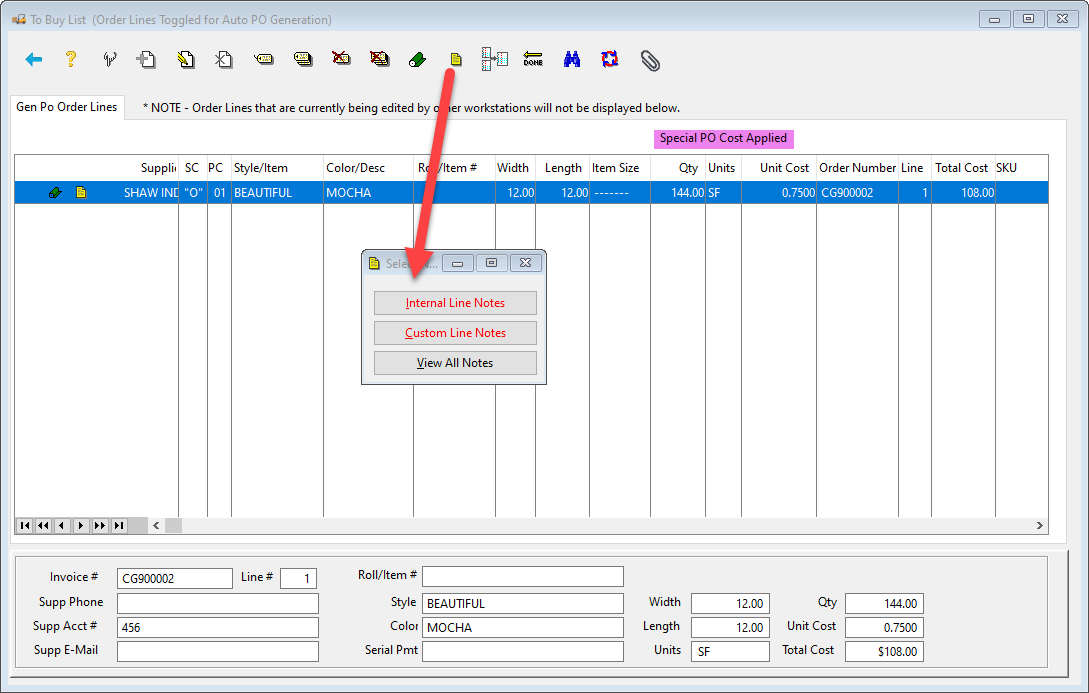
When this line is pulled up in Inventory > File > Purchase Orders > AutoPO to be ordered, the note remained attached the line (with a choice of Internal or Custom Lines Notes):
All other order/line notes can be viewed by clicking "View All Notes." 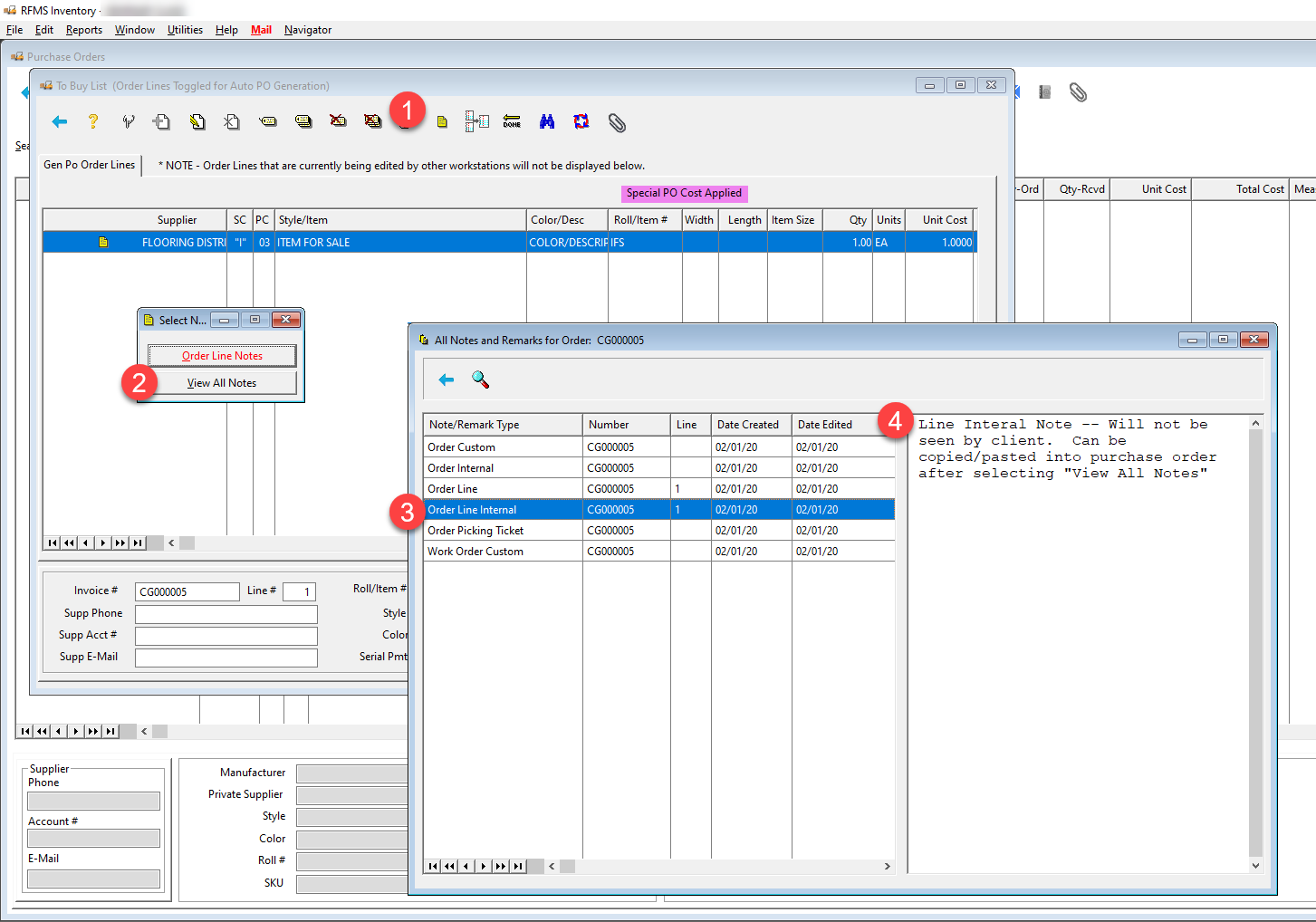
Once the purchase order has been generated, these same notes options are available on the created purchase order line. If any other notes need to be added to the printed purchase order, they can be copied/pasted into the "Purchase Order" Notes.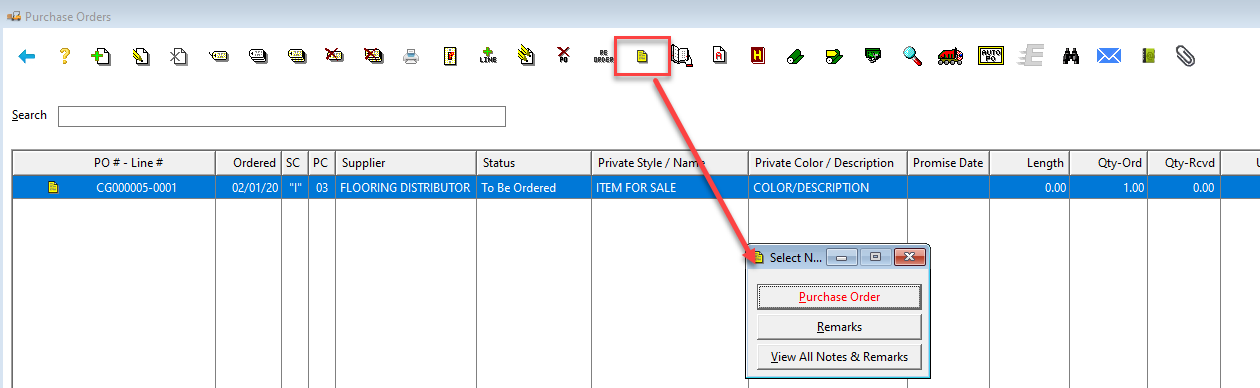
NOTE: There is now an option called "Remarks" available to use. These notes are permanent (cannot be edited/deleted after they are saved). These Remarks will be available for viewing when the View All Notes & Remarks feature button (shown in picture above) is clicked. The Remarks are below: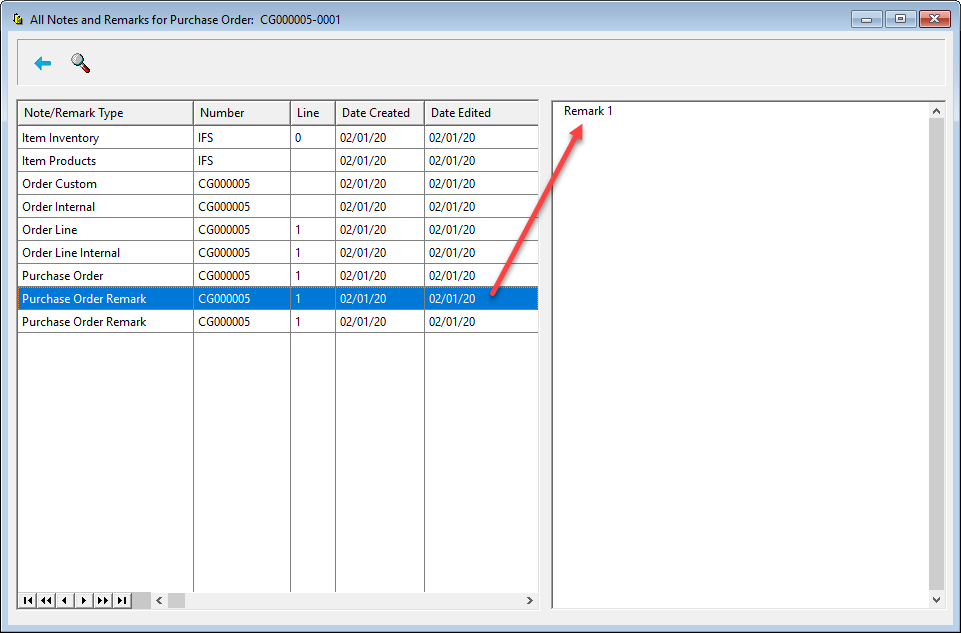
Comments
Article is closed for comments.