
Click the "Combine Material into one Stock PO" Button  to merge any purchase order lines that are for the same material.
If two or more PO lines of the same material are located, the following dialog box will display.
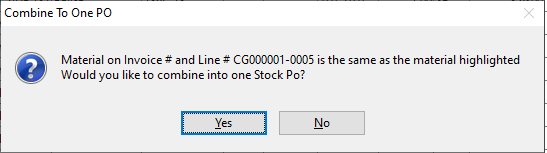
Clicking No will proceed as normal.
Clicking Yes will tag all the same material lines that appear on this screen. When completing the Auto PO process, the line items will be combined into one stock PO.
Click done when all purchase orders to be processed are tagged. This will open the main purchase orders screen with all the processed purchase orders listed ready to be ordered.
As of Version 21.0 the line assignments are kept when using this feature.
Make sure Assign to Customer Order Lines is Selected
The line assignments are kept even though the PO is now a stock PO.
Comments
Article is closed for comments.