
If you need to correct a partial billing, it is best to reverse the original billing and begin again.
Open the original order and review the Percentage Billing lines that were created during the original billing to get the figures you need to reverse the billing. The Product Code will alert you to which is Material and Labor but normally if you billed both, the material line is first. Since it is possible to bill only one or the other, check your Product Code to be sure, labor will be the higher Product Code number.
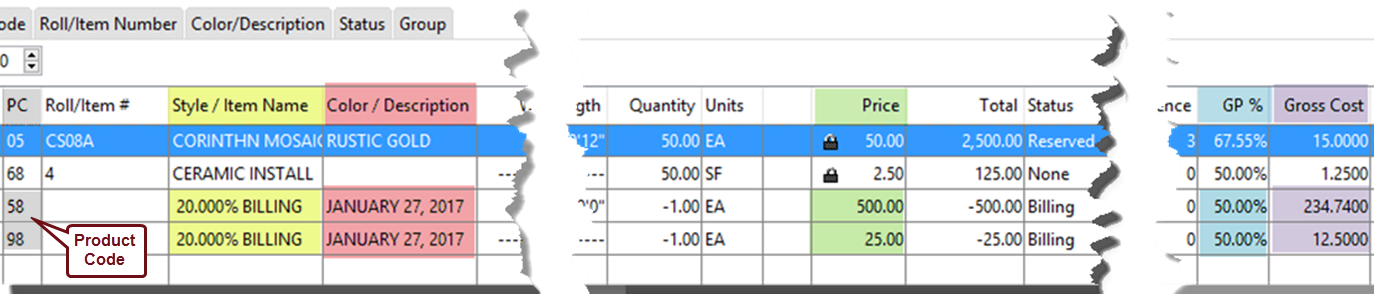
Use the information in these two lines to populate the reversal billing as shown below. Enter a (-) in front of the figures taken from lines. You will want to enter the order number that was created with the original billing in the Target Order Number field.
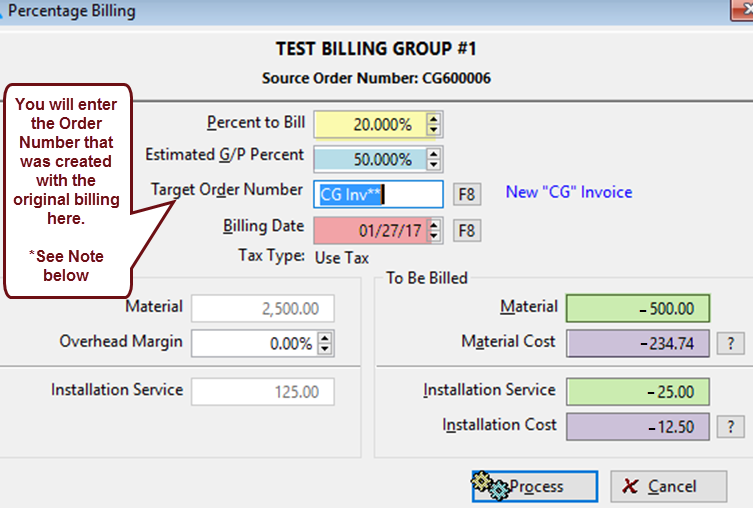
*The button next to this field will be either an F8 or Ellipses button, both function the same here. However, if you have an F8, you can type the Order Number in the field, be sure to include the prefix (CG). Alternatively, click it and select Existing Order. This will allow you to search and select the target order.
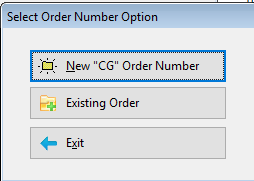
Reprocess billing, you can use the same Target Order.
Comments
Article is closed for comments.