
Order Entry>Reports>Providers Earnings Report

1. Setup the appropriate account codes under Human Resources, Parameters, Post
Providers.
2. If you wish to pay a particular employee by posting information directly from Order Entry, select the Post Providers through HR switch on the worker information screen.
3. Print and Post provider information in the Order Entry module by clicking Reports>Provider's Earnings.
4. Select Final Print and Post.

5. Accounting>File>Human Resources>File>Prepare Pay
6. Select Post HR from Paid Providers. Fill in the following fields accordingly.

Begin Paid Date
This date is the date of the Final Print and Post.
End Paid Date
This date is the date of the Final Print and Post.
Provider Post Order
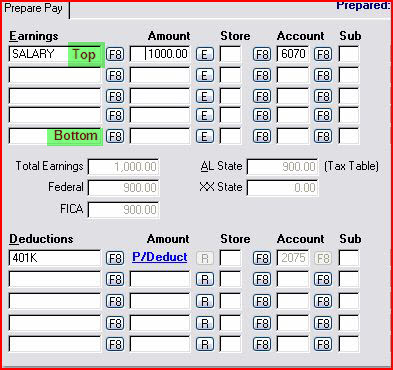
Select whether to put provider information in the Available Slots, Tops Slots or Bottom Slots on the pay screen
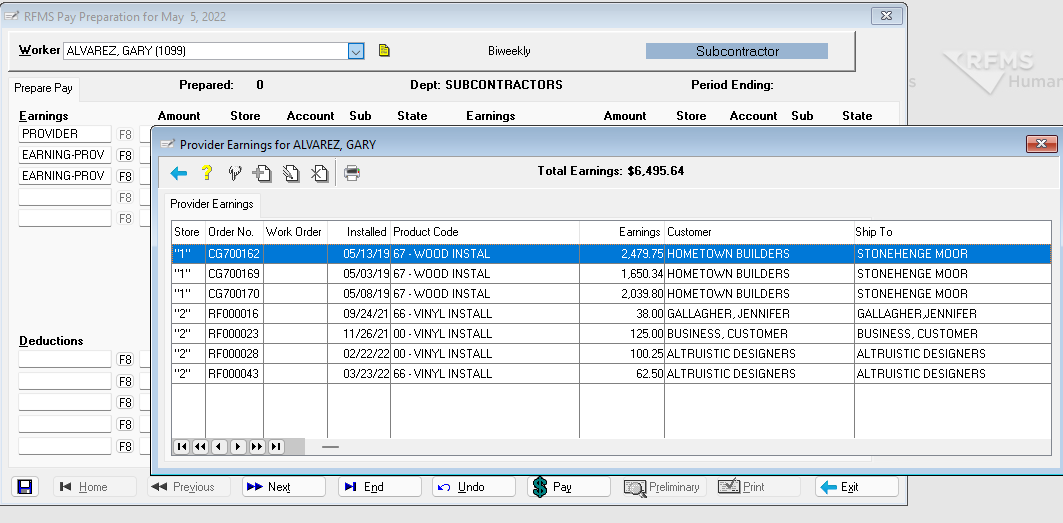
F8 Next to the lines which says Earning-Prov will show a list of the jobs that make up the amount for this pay. While the earnings lines are divided by store, this list shows all stores.
Comments
Article is closed for comments.