
Back to Month-End Accounting Guide
Use the Month-End GST Report during month-end close to review GST paid and GST collected for a selected date range.
The report includes:
- Accounts Payable invoices with an invoice date in the selected date range;
- customer orders with a delivery date in the selected date range.
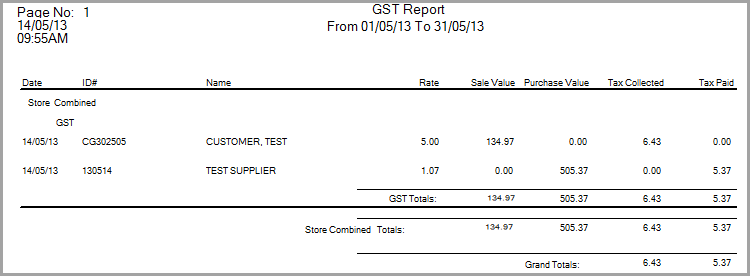
For Accounts Payable invoices, the report shows GST categories and tax paid. For customer orders, the report shows tax collected. Customer orders are listed as GST if taxable, or FRE if exempt or resale.
Accounting>File>Month-End>GST Report
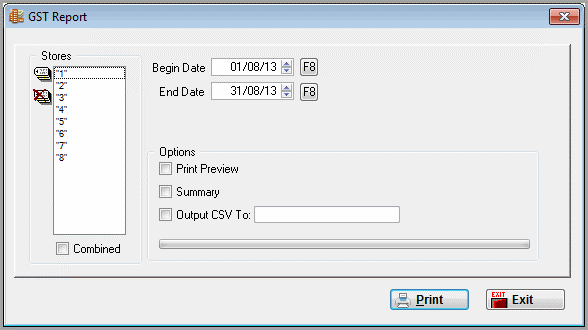
When the Report is Available
The Month-End GST Report is available only when the following system options are set:
| System Option | Required Setting |
|---|---|
| Utilities > System Options > System Wide > General > Country | Not set to USA |
| Utilities > System Options > System Wide > General > Use GST Code | Set to YES |
Report Columns
| Column | Description |
|---|---|
| Date | A/P invoice date or customer order delivery date. |
| ID# | A/P invoice number or customer invoice number. |
| Name | A/P payee or customer sold-to name. |
| Rate | Tax paid divided by purchase value, less tax paid. |
| Sale Value | Customer sale total, including GST. |
| Purchase Value | Total value of the A/P invoice amount marked for GST. |
| Tax Collected | Tax collected on the customer order. |
| Tax Paid | Amount marked as TAXPD in the A/P distribution. |
The Month-End GST Report uses GST code information from Accounts Payable invoice distributions.
You can set the default GST values in the Chart of Accounts so the GST code does not need to be entered each time. For details, see GST Default Codes.
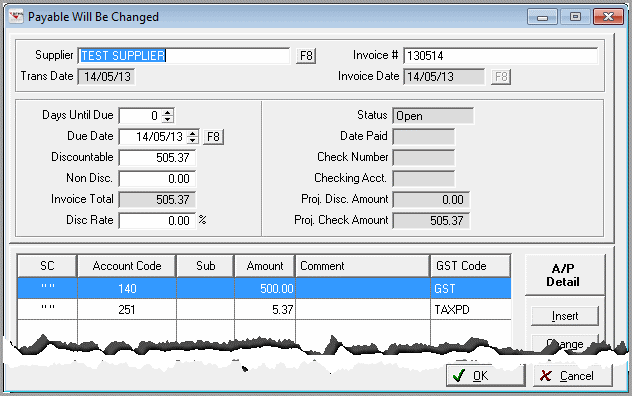
In the A/P invoice distribution, GST activity may appear with codes such as:
| Code | Meaning |
|---|---|
| GST | GST amount or GST-related distribution |
| TAXPD | Tax paid amount used by the report |
Month-End Close Note
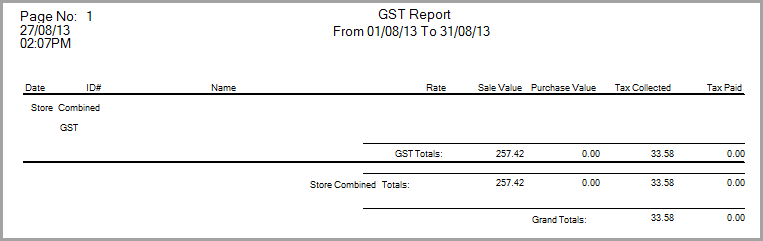
For month-end close, run the Month-End GST Report for the date range being reviewed. Save or print the report with your month-end close documentation.
If GST paid or GST collected does not match the journal or General Ledger balance, confirm the A/P invoice date range, customer order delivery date range, store selection, GST code setup, and manual journal entries before making corrections.
For more troubleshooting steps, see RFMS Month-End Close: Troubleshooting Balance Mismatches.
Comments
Article is closed for comments.