
ISSUE:
- User tries to open RFMS and gets error stating:
- Error Reading db Change Table
Contact RFMS.
System will Halt!
- Error Reading db Change Table
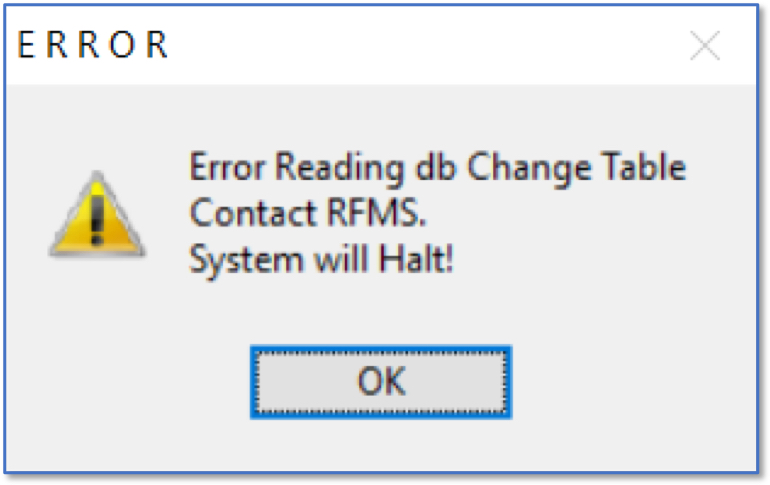
The Reading db Change Table error means the program is trying to load a table and it is failing; which indicates the user is having issues connecting to the SQL server/database as this is the first SQL call sent. This could be a SQL connection to the server vs. a network connection. In most cases a reboot of the PC and server corrects this, but if this is not the case, it could be something more in depth.
- Have your local technician try pinging the server (by name) from the workstation and verify it's seeing the correct IP address. If it is, as a test, try disabling the private and domain firewall on the server, and pc if necessary, then relaunch RFMS on the workstation. If the machines connect, turn the firewall back on and try to re-launch RFMS on the workstation. If the connection is blocked again, your technician should review the firewall to figure out what ports SQL is trying to communicate through and open those. The default ports are TCP 1433, and UDP 1433 & 1434 but there may be other ports that are unique to your environment. Your technician may be able to use netstat or another utility to assist with this.
- If disabling the firewall does not allow the connection, then this could be a network communication issue to the server. We would recommend checking or having your IT Professional check the cable from the PC to Switch, Switch Port, PC Network card and Network settings on the PC.
- If they are not able to get back in, we have documents for troubleshooting network and SQL connections (see following links). The documents cover a wide range of topics including netmon for SQL testing. This would be something your technician will need to look into as the support desk is not able to do diagnostic work on SQL connections or network connections. Also have them look at the Event Viewer on the PC, the SQL server and SQL logs on the server.
Comments
Article is closed for comments.